Dozens of agents at once, in one overview
Give every open ticket its own agent and they work side by side. One grid shows each of them: what it does, for which ticket, on which AI, and how long it has been at it.
It runs in your own studio. No containers to set up and no cloud orchestration: the fleet is a choice of how many, made on one screen.
How a fleet works
-
Start many at once
Tick tickets and start an agent for each of them at once. Or launch a number of agents with their roles, or from a plan whose rows you can still change until you press Start.
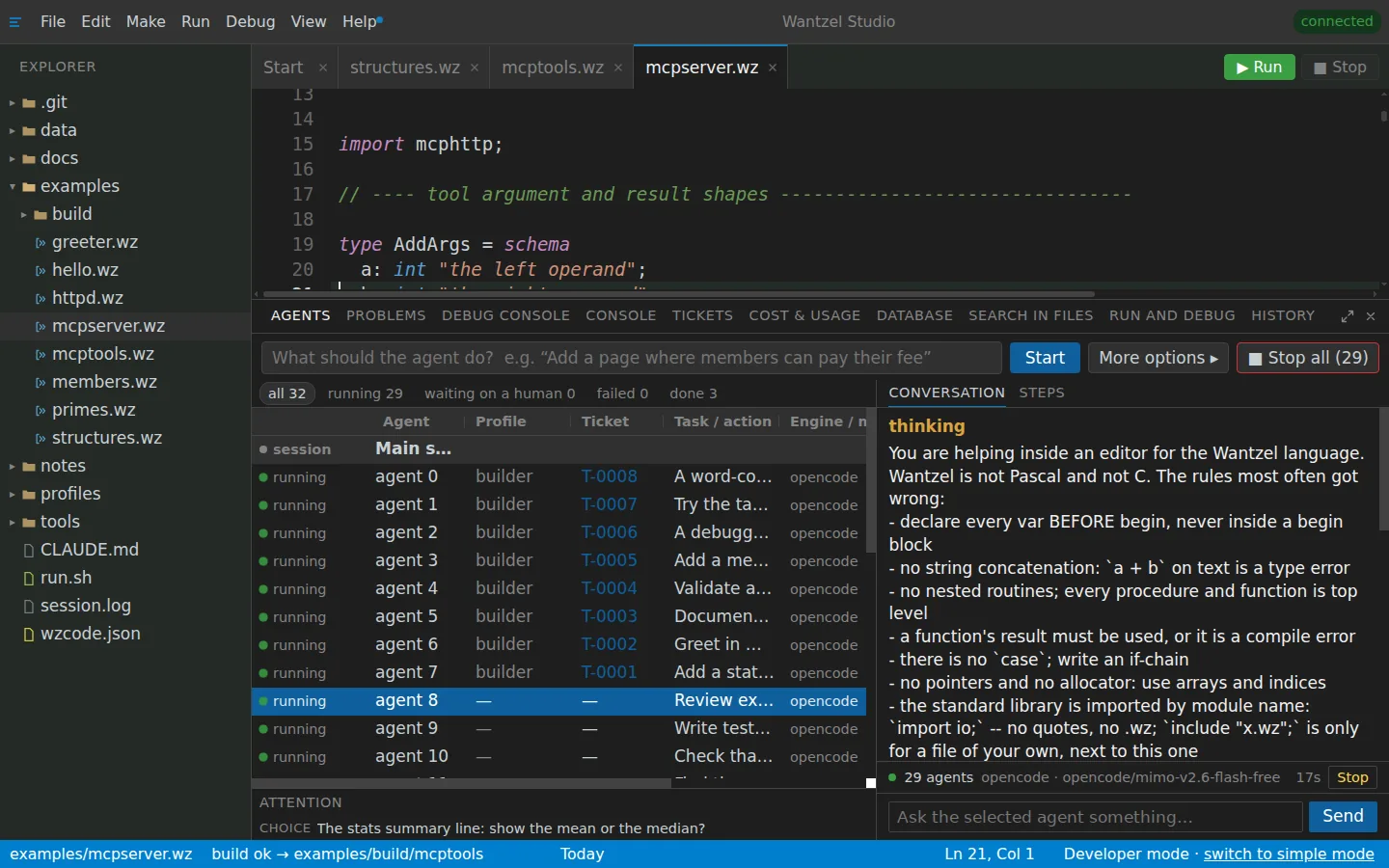
Thirty-two agents in one grid
-
Follow every one of them
Each agent is a row: its status, its ticket, its role, what it is doing, its AI and model, its time and its tokens. Click a row and its conversation and steps are beside it. Filter on running, waiting for you, failed or done.
-
Stop or resume a group
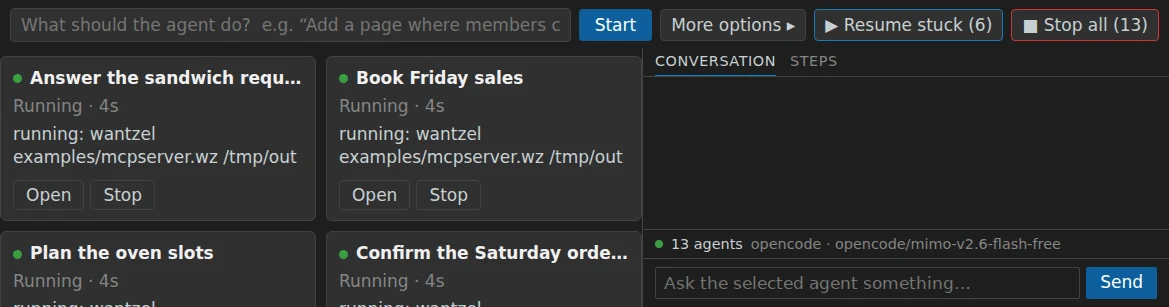
Stop one agent, or all of them in one click. Agents that got stuck resume where they left off, as a group. Questions that agents ask you come together in one list, most important first.
Stop all, resume stuck
-
Several AI providers in one fleet
One fleet can mix engines. When a Claude subscription nears its usage limit, new work in the fleet goes to another connected AI that still has room, and the row says why.
Read next
See a fleet at work
EUR 200 a month per organisation
Leave your email address and Floris contacts you to plan a conversation and a demo with your own work in mind.