Your organisation in your pocket
On a phone the studio opens in a view of its own, with four tabs: Today, Agents, Tickets and Mail. It is for what you do away from your desk: decide, answer an agent, hand out work and keep up with your mail.
Nothing to install and nothing to switch on: open your studio's address on your phone.
Four tabs, one thumb
-
Today: decide in one tap
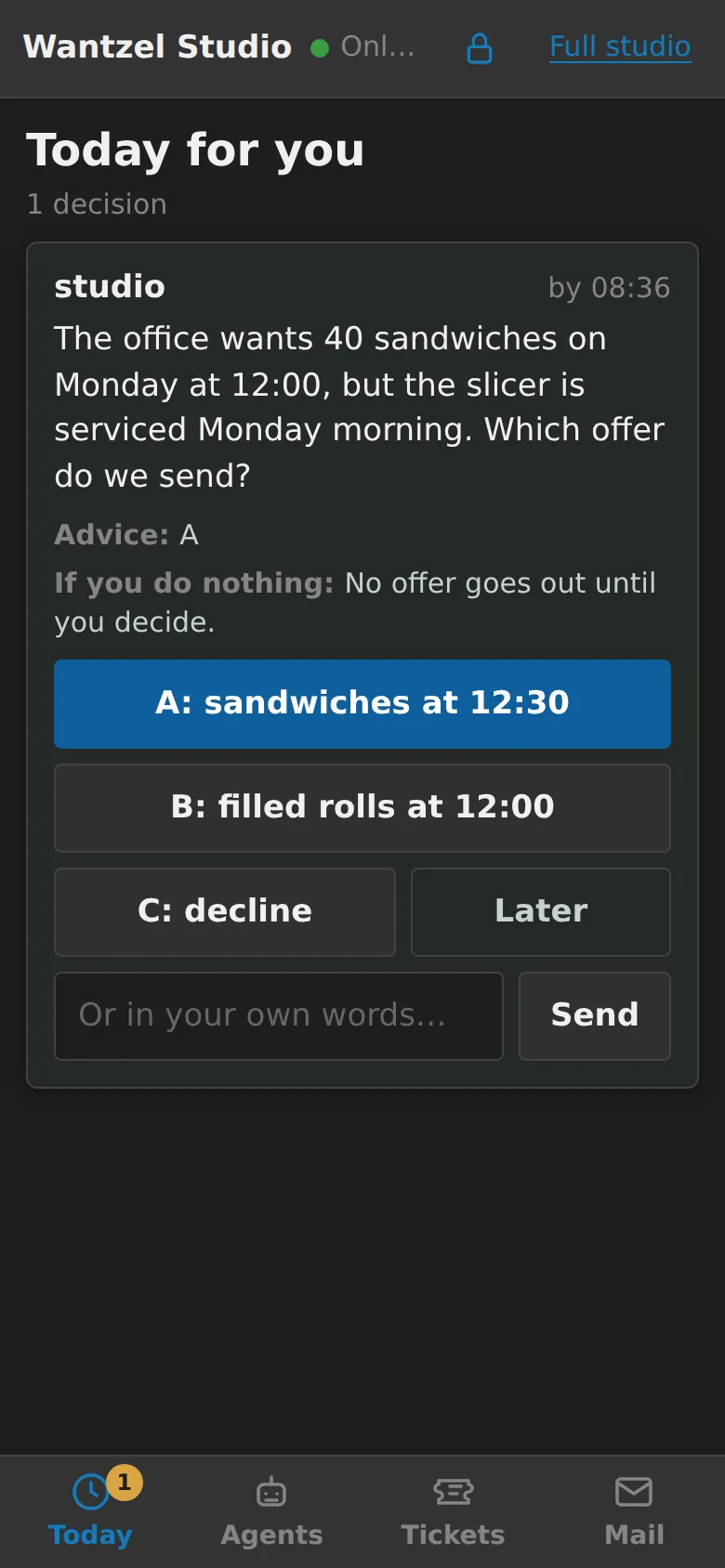
The decisions that wait for you, heaviest first. Each one says what is asked, the advice, and what happens if you do nothing; every option is a button. Or answer in your own words, or put it on Later.
-
Agents: see who is doing what
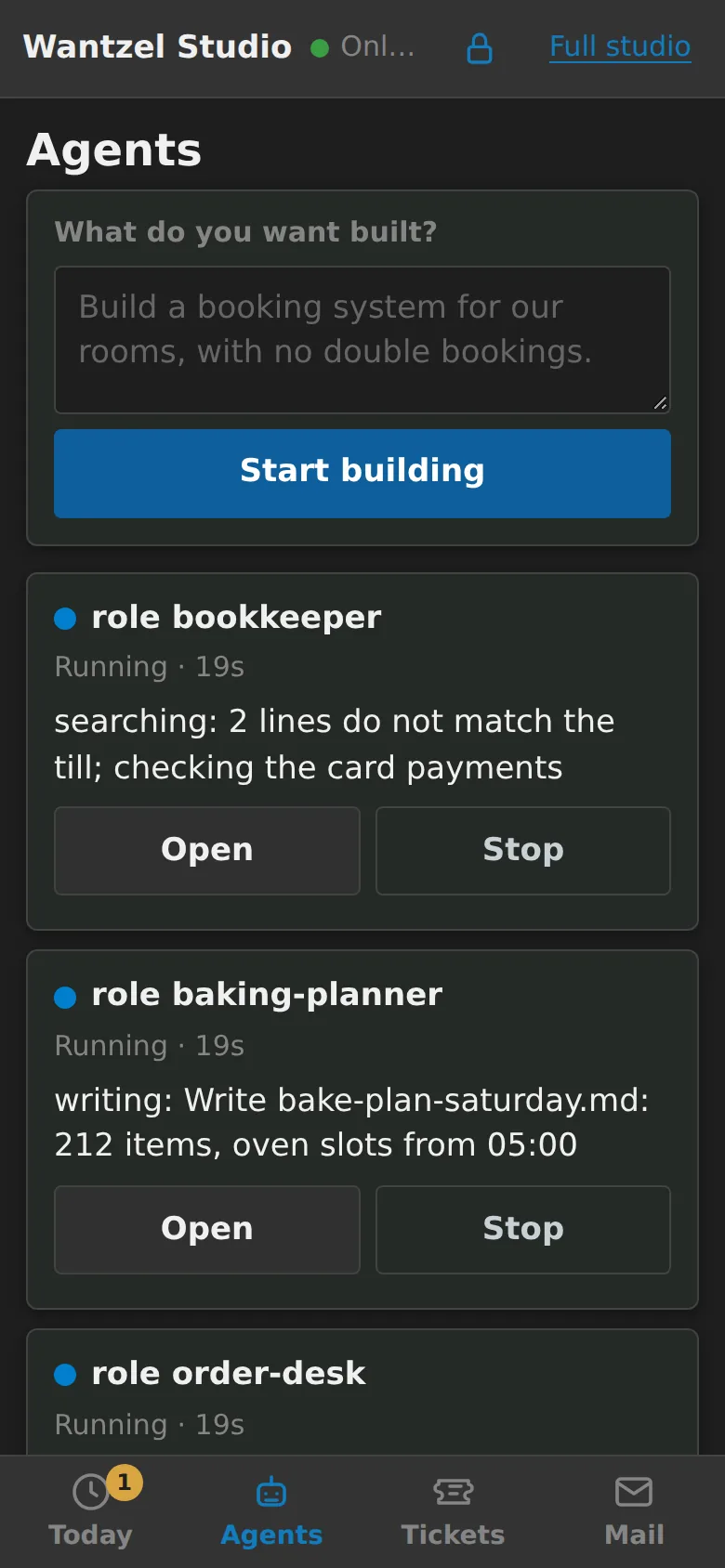
Every agent with its state and the step it is on. An agent that waits for you comes first: open it and answer. A box at the top starts a new agent on whatever you want built.
-
Tickets: hand out work
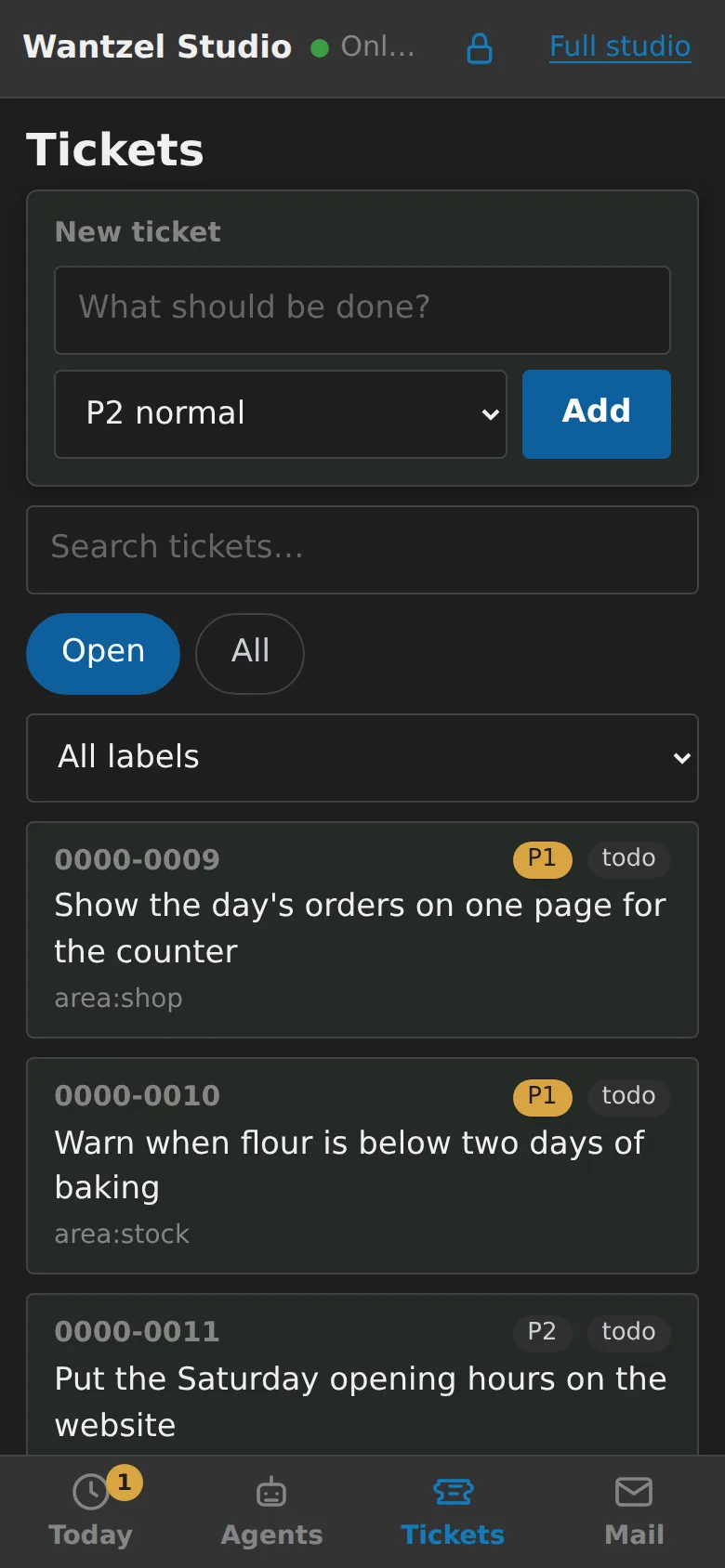
Add a ticket with a title and a priority, search, and filter by label. What you add here is on the same board as in the full studio.
-
Mail: keep up
Your studio's inbox, mail from senders it does not know yet, what went out and your drafts. Read, write and answer from your phone.
Read next
See it on your own phone
EUR 200 a month per organisation
Leave your email address and Floris contacts you to plan a conversation and a demo with your own work in mind.