Agents that do the work
Hand an AI agent a ticket and it writes, compiles, runs and fixes the work itself. A fleet of them works side by side, and together they form an organisation with roles, reviews and decisions at a person.
Part of everything Wantzel Studio does, in one studio.
Agents at work
-
From ticket to program
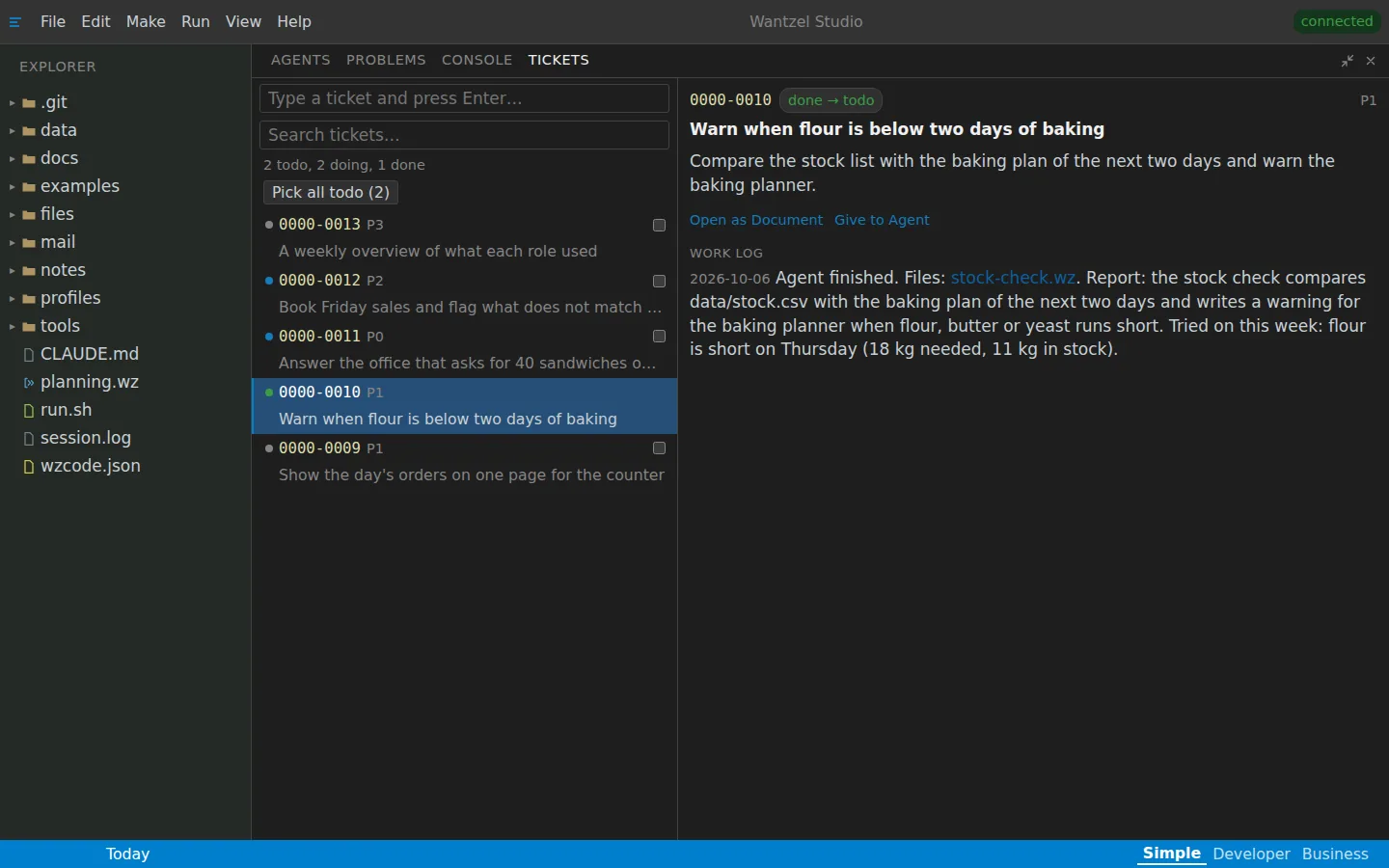
Write what you need as a ticket, give it to an AI agent, and read in the work log what it built and how it tried it. Several tickets go to several agents at once.
-
Agent fleets
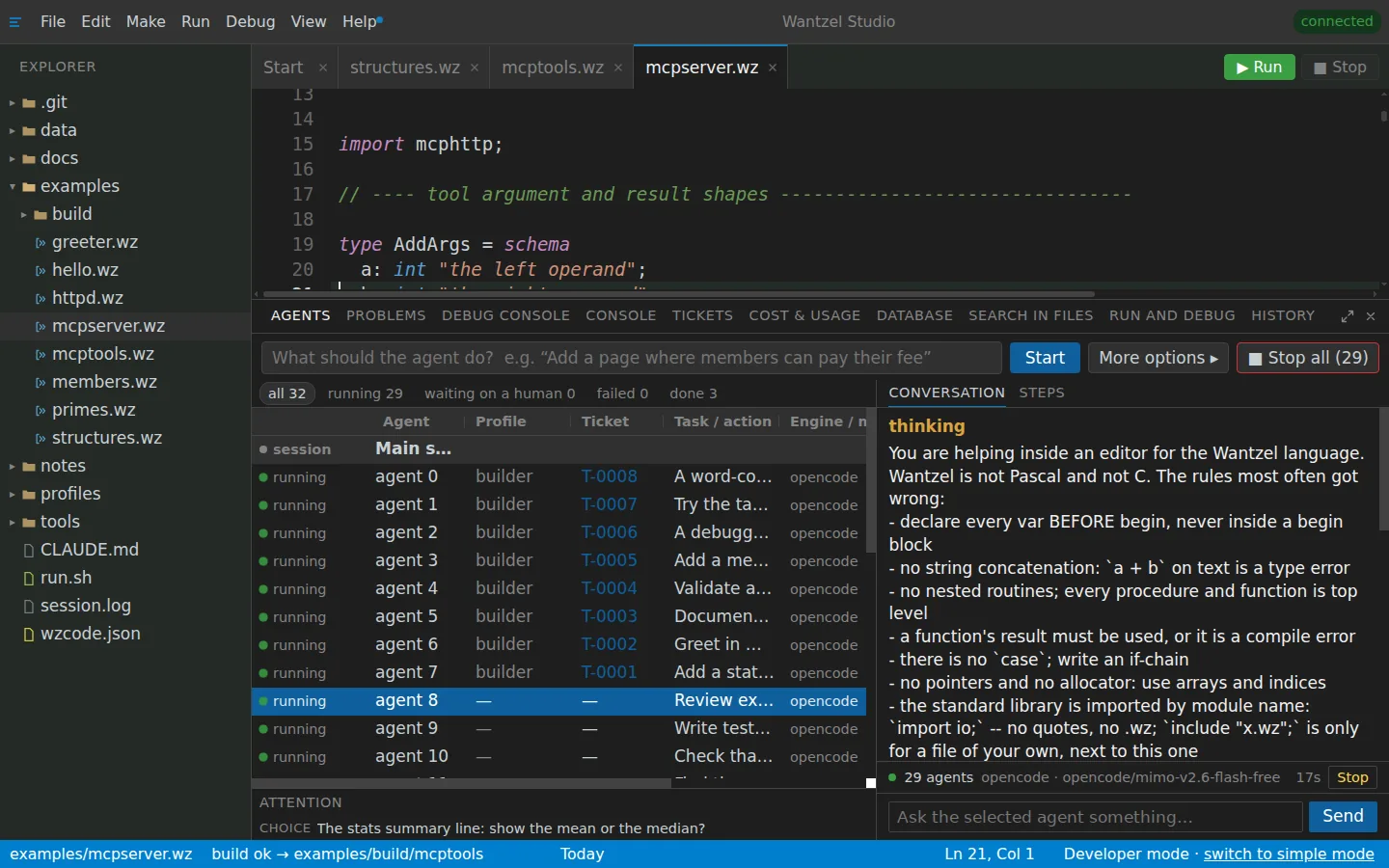
Start an agent for every ticket at once and follow the whole fleet in one grid: status, ticket, engine and conversation. Stop or resume a group in one click, on your own studio, without containers or cloud orchestration.
-
An organisation of AI colleagues
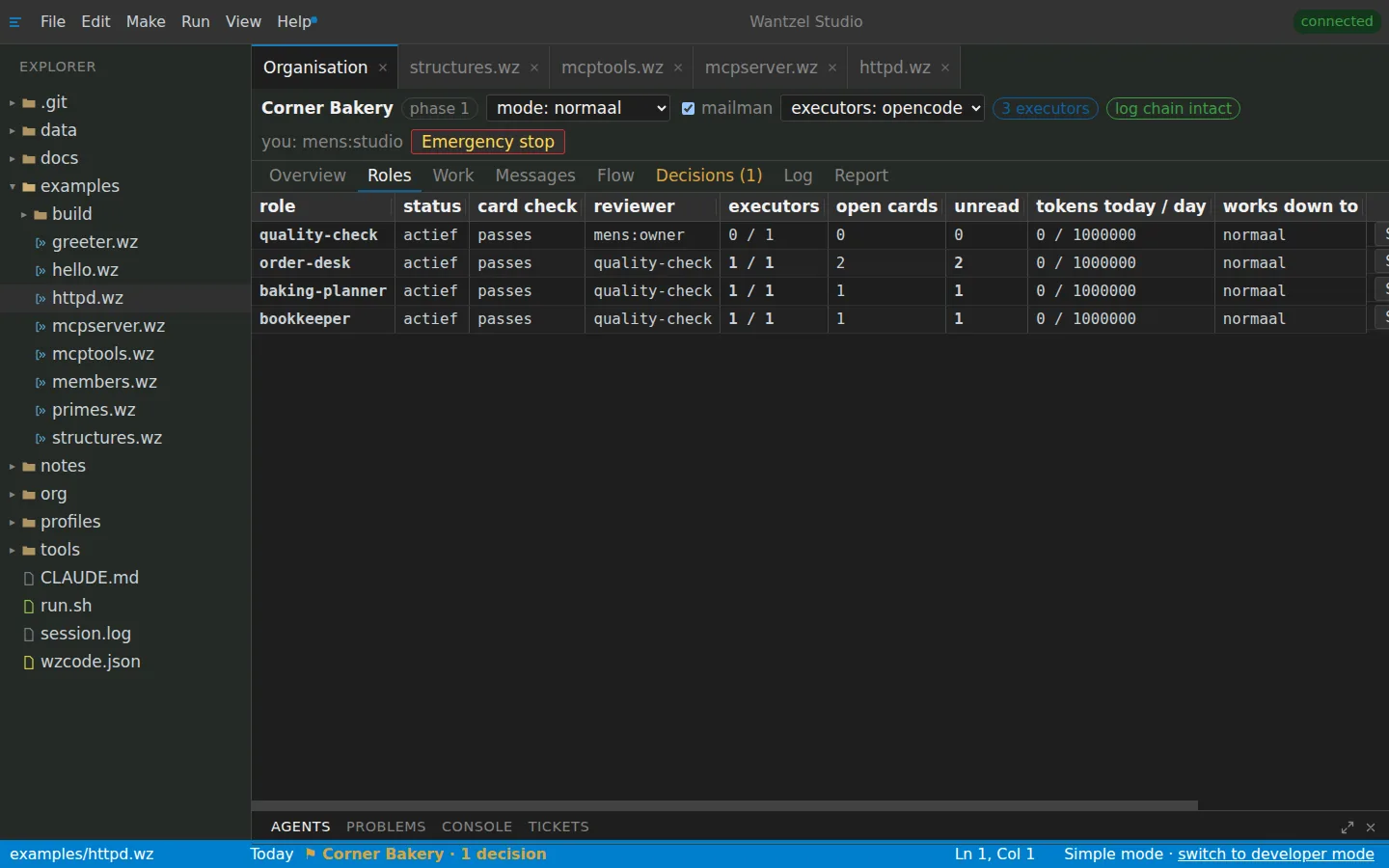
Autonomous processes with an AI workforce you can govern: each AI colleague has a role card, its work is reviewed by another role, and what only a person may decide comes to you.
Read next
- Connected everywhereYour agents have their own mail address, your organisation fits on your phone, Claude can run the whole studio, and you choose the AI each agent runs on.
- Live, fast and safeA program goes live at its own address without devops, compiles in milliseconds to a native program, and every agent works within the bounds of its role, with one button that stops them all.
All of it, for your organisation
EUR 20 a month, cancel any time
Sign up with your email address. After the checkout your studio is set up, and you start right away.