An advice app that knows who signs
Jeroen Zilverlinde is a mortgage adviser. He had an advice app built from plain sentences, from Claude, in his own Wantzel Studio. Then he wanted to be sure of who signs.
One instruction later his app had the studio's video check. His client Sanne now confirms in a minute, with her face, that it is her: a frame, an arrow, a ping, a tick.
Part of all use cases. The adviser, his client and the office are made up; the screens are real.
The adviser and his question
Zilverlinde Mortgage Advice is a small, independent office. Jeroen works for clients all over the country, and much of it happens at a distance: the first meeting, the advice conversation, signing the advice report. His clients sit at home, he sits on the other side of the screen.
He wanted a place of his own on the internet that does what his office does: show how an advice process runs, let a client ask for a first meeting, work out the monthly costs, and let the advice report be signed. In plain sentences, from the tool he already uses every day.
He already uses Claude for his mail and his notes. So he started there.
Sanne de Vries is buying her first home. She found Zilverlinde through a friend, lives on the other side of the country, and would rather arrange everything from home. Later in this story she asks for a first meeting and signs her advice report. What she sees and hears is further down.
Jeroen's office is Dutch, so the app speaks Dutch and its screens are shown as they are. Jeroen, Sanne and the office are made up. The app, the calls and the screens are real, recorded in a demo studio with a fake camera that plays AI-made portraits of made-up people.
An advice app, built from Claude
Claude connected to his studio
Wantzel Studio is an MCP server itself. In Claude, Jeroen added a connector with the address of his studio followed by /mcp, and signed in on his studio's own login page. From then on Claude can do in his studio what Jeroen can do himself: write files, build a program, read the error messages, publish.
Every action in the studio is a tool, described once. The studio's window uses it, and Claude does too.
The instruction
What Claude did in the studio, call by call, as it went in the run:
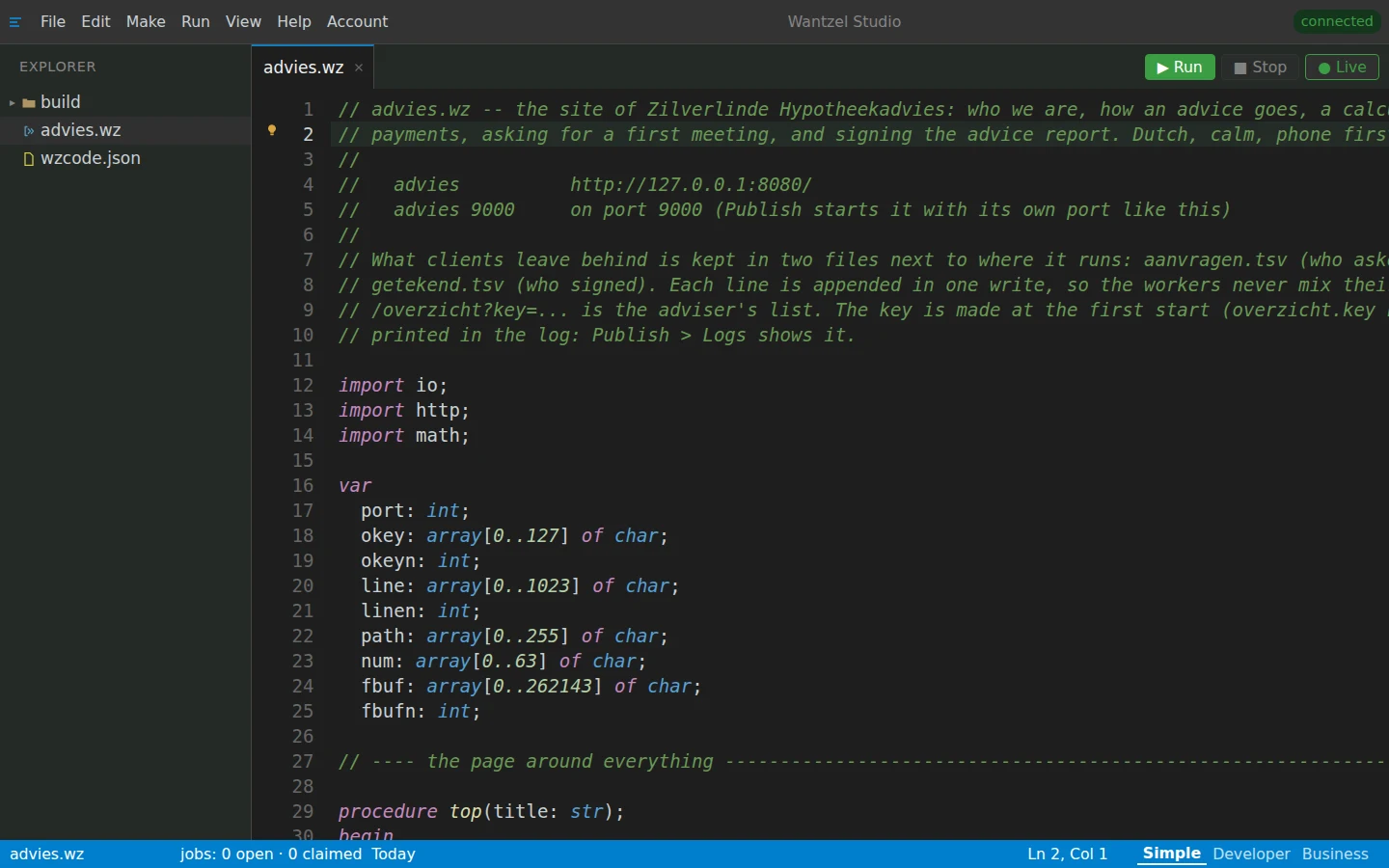
help_searchlooks up in the studio's language help how a form comes in (http.form)write_filewrites advies.wz: the whole app, 438 lines of Wantzelbuildcompiles it for production, to build/adviesread_problemsreads what the compiler reported: nothing, the app is right first timepublishputs it on its own address; it keeps running, even when the studio is closedpublish_listchecks: advies, livepublish_logsreads the app's log, with the key of Jeroen's overview
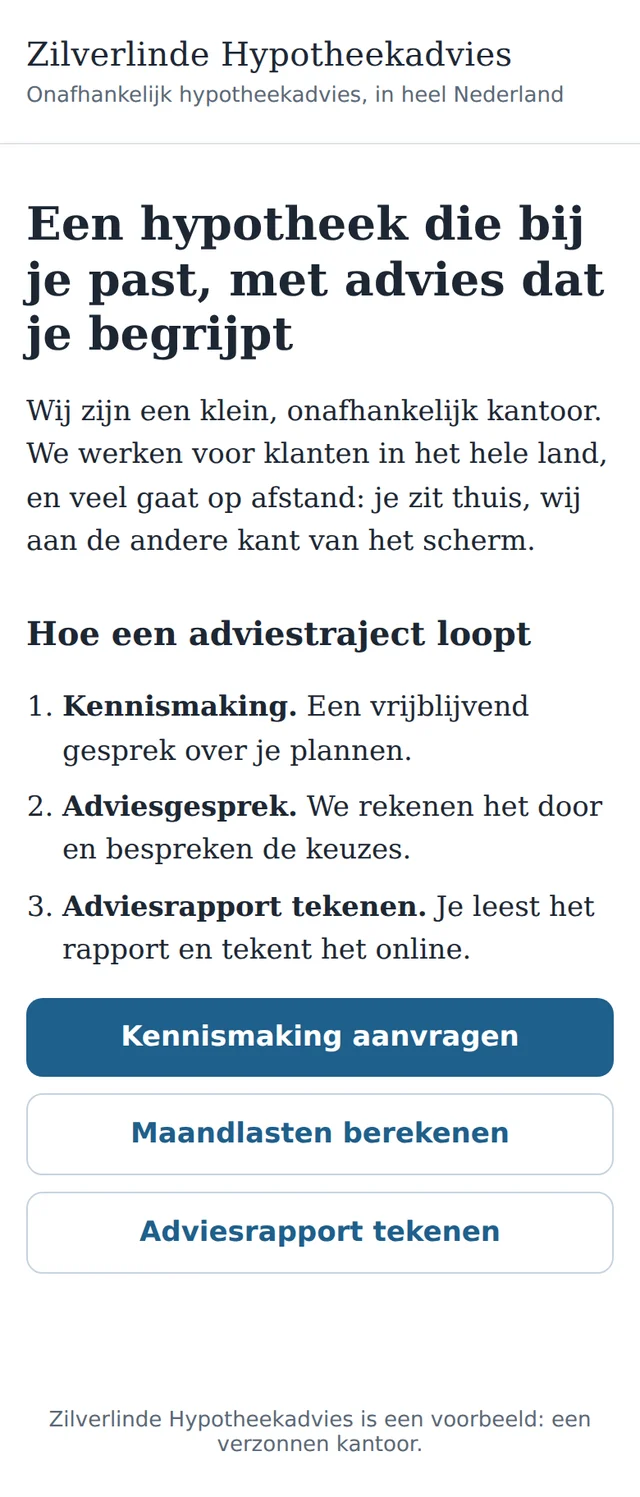
The result: an app that reads well on a phone
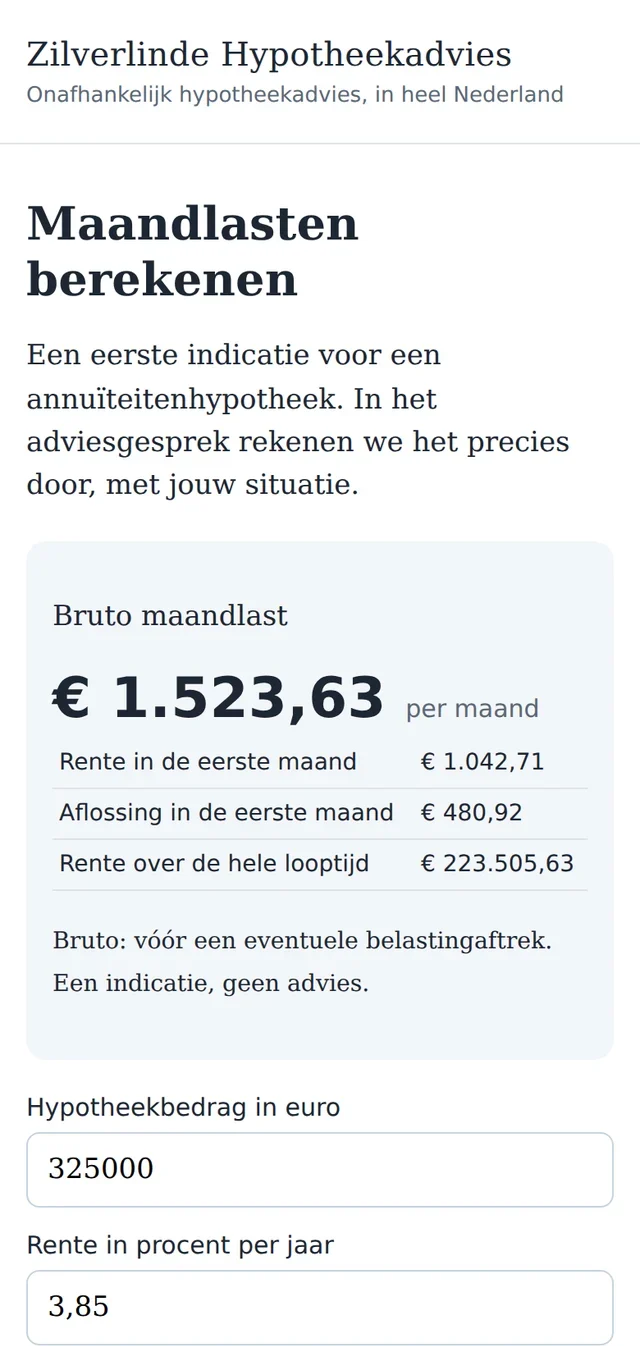
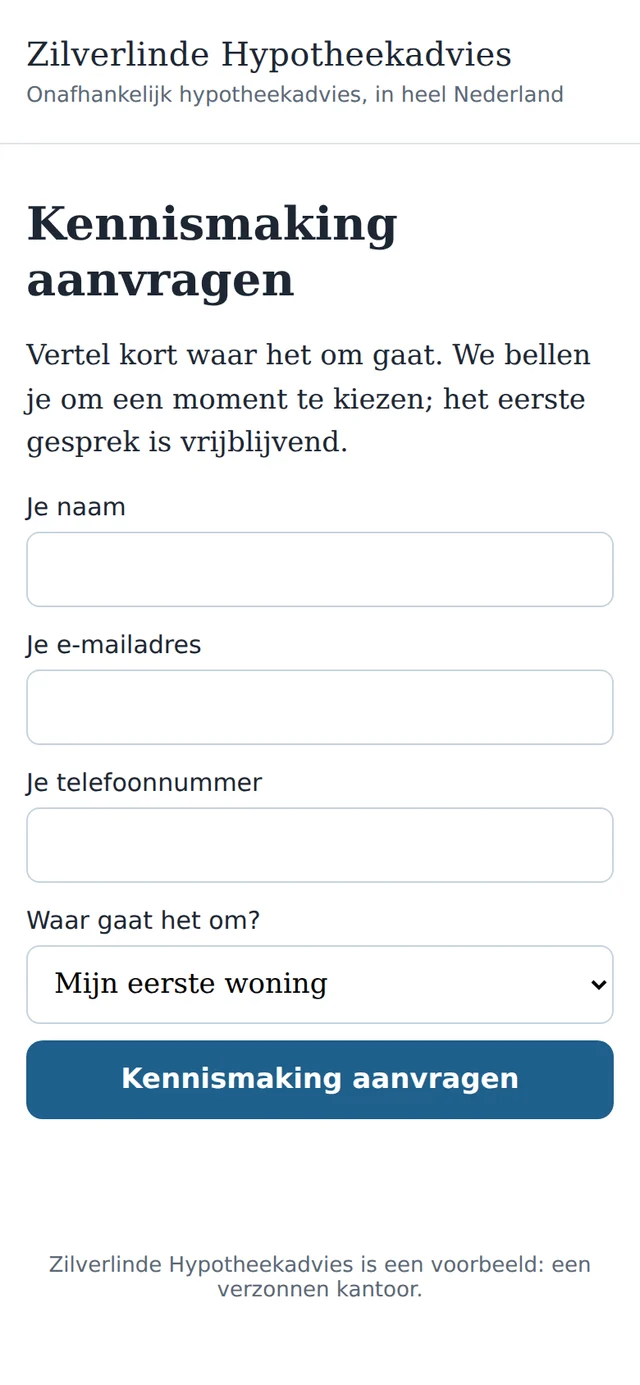
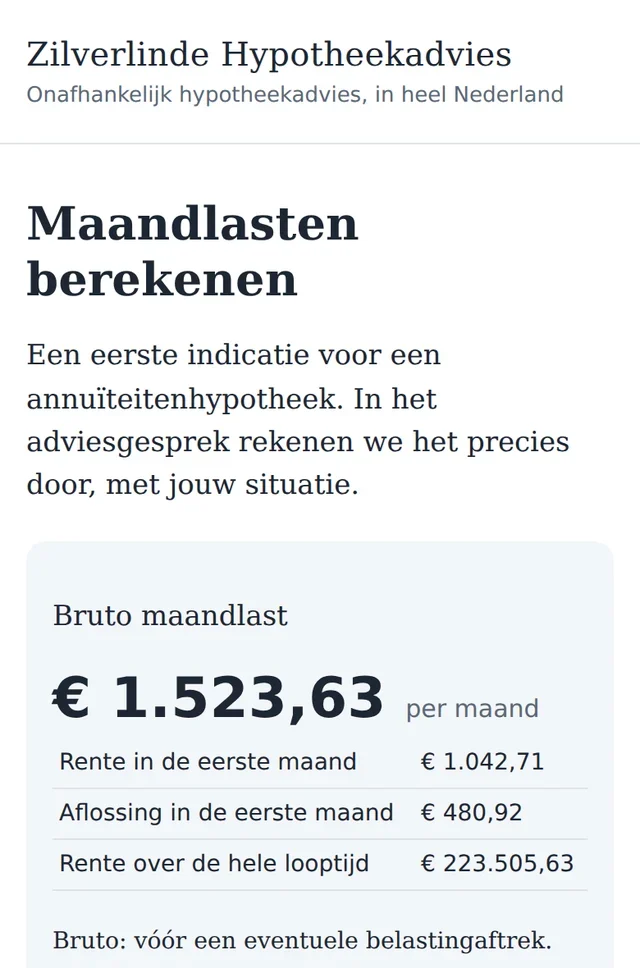
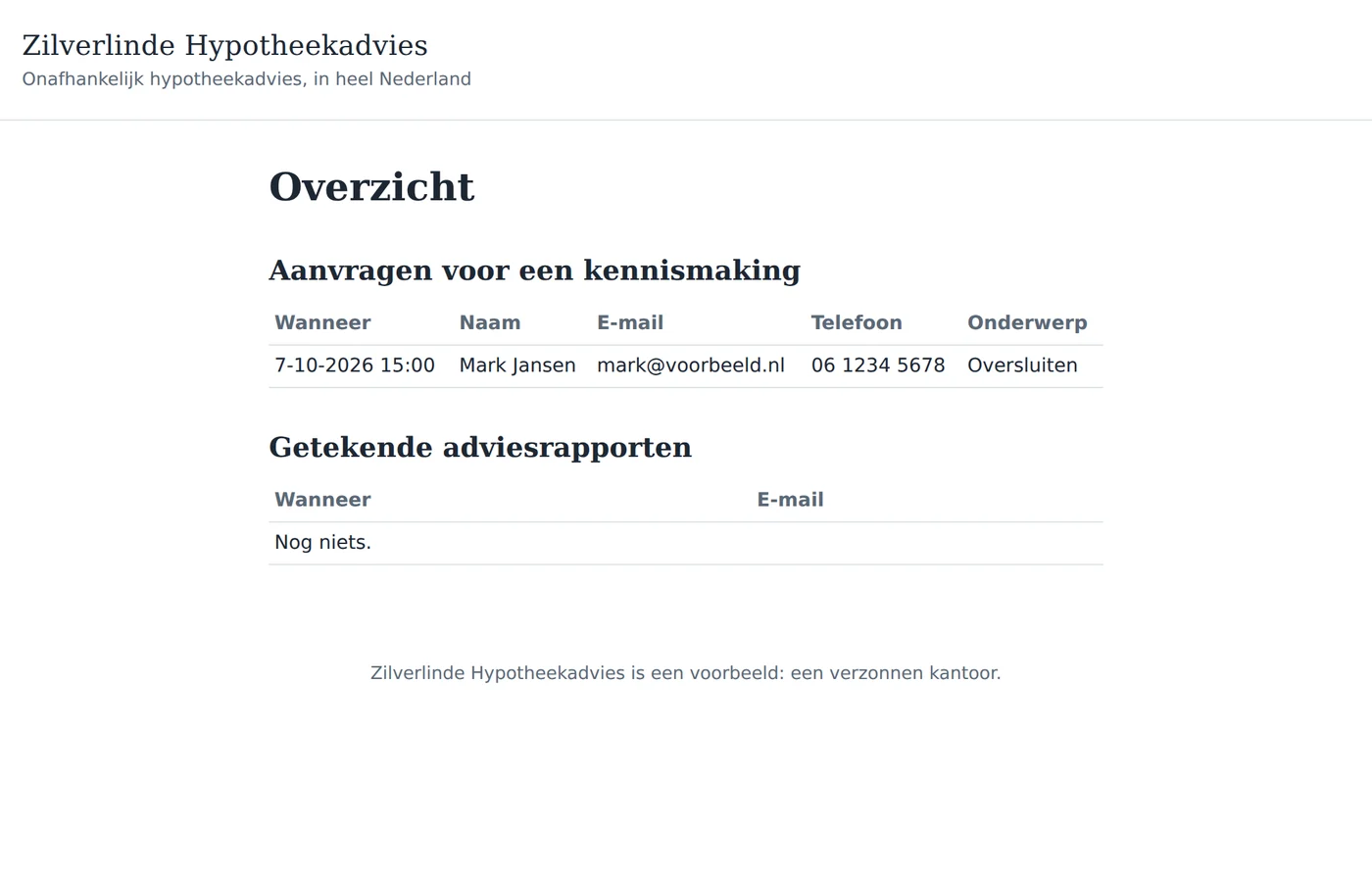
Calm, with big buttons. The monthly-costs calculation works out an annuity mortgage: the gross monthly payment, the interest and repayment of the first month, and the interest over the whole term. The requests arrive in an overview that only Jeroen can open.
A small correction, while the app runs
Jeroen tried the calculation and saw the interest rate come back as 3.85. In the Netherlands you write 3,85.
Claude read the file back (read_file), changed the line, built again and published again. The app kept running meanwhile; at its next start it took the new version. One sentence, and the comma was there.
“And now I want to know who signs”
The app did what it had to do. But when an advice report is signed, Jeroen wants to be sure that the person on the other side is who they say they are. Until now he asked for a copy of a passport, by mail. That is a hassle for his clients, and a copy says little about who is behind the screen at that moment.
He knew the studio has a video check: he signs in with it himself. Can his app use it too, for his clients?
One instruction
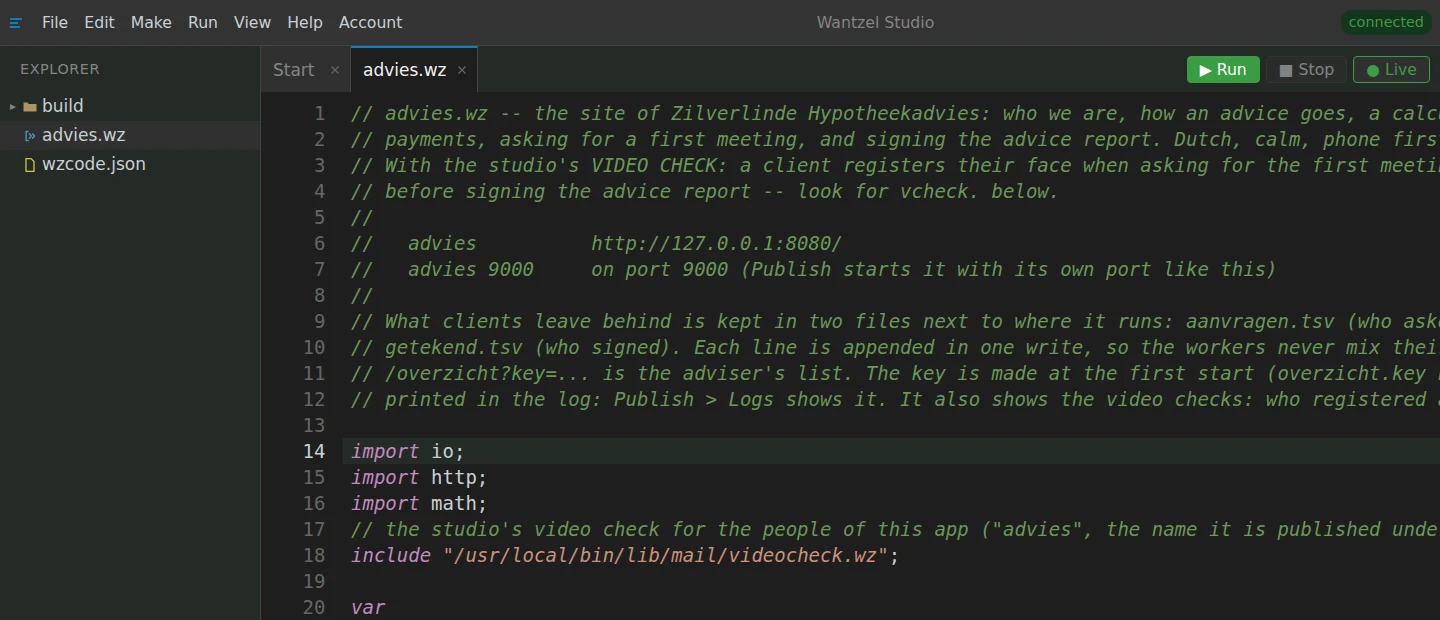
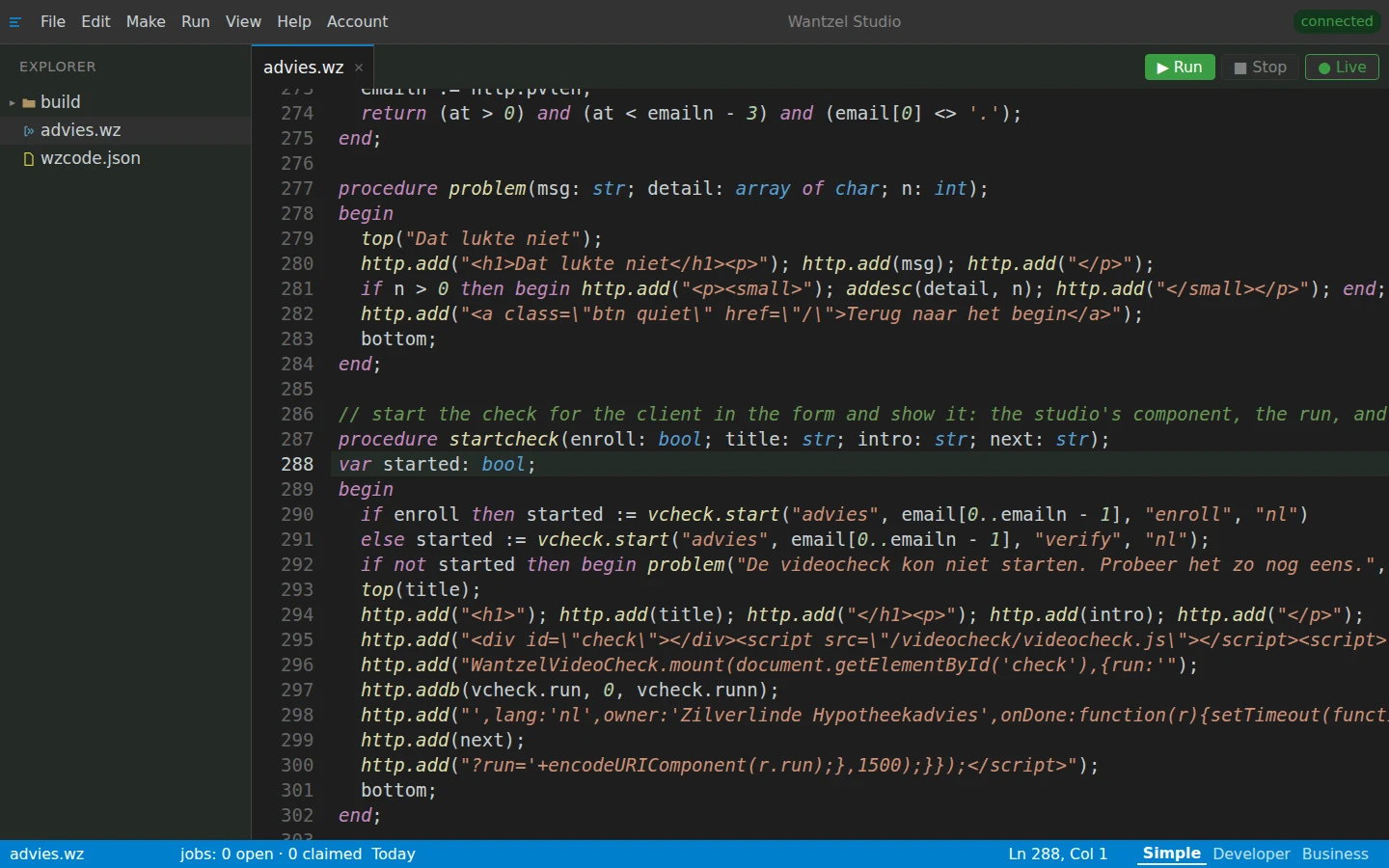
help_searchlooks up vcheck.start and finds the studio's video check: how to start a registration or a confirmation and fetch the resultwrite_filewrites the new advies.wz: 622 lines, the video check in itbuildcompiles itread_problemsnothing: right first timepublishsame name, same address: the app with the video check is live
The video check is a building block of the studio: the app takes it in with a few lines, and the studio does the rest.
What the app does now
- At the first meeting the client registers: once straight into the camera, left, right, and reading a short sentence aloud.
- When signing she confirms that it is her, with the same short check. Only when the studio confirms it does the report go on her name.
- The app asks the studio for the result itself, directly from server to server.
- The registrations belong to this app alone, apart from those of other apps and of the people who sign in to the studio.
What Sanne experiences
Sanne sits on the sofa with her phone. She asks for a first meeting, and registers in the same minute. When her advice report is ready, she signs it and confirms again. This is what she sees, hears and does.
Recorded in the demo studio with a fake camera in the browser: the face is an AI-made portrait of a made-up person, the voice a tone. The frame, the arrow, the steps and the decision are the studio's real ones.
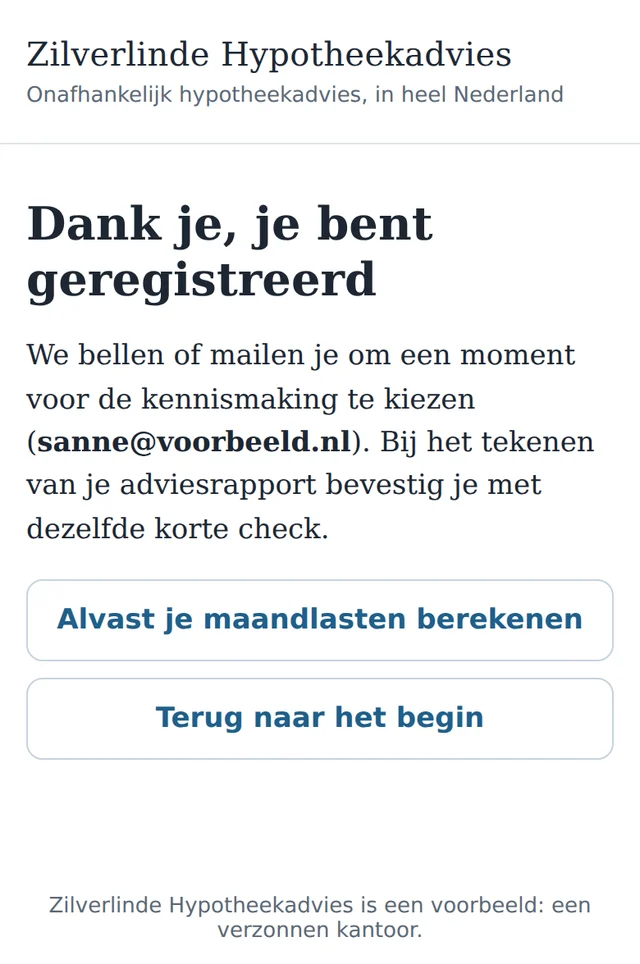
She asks for a first meeting
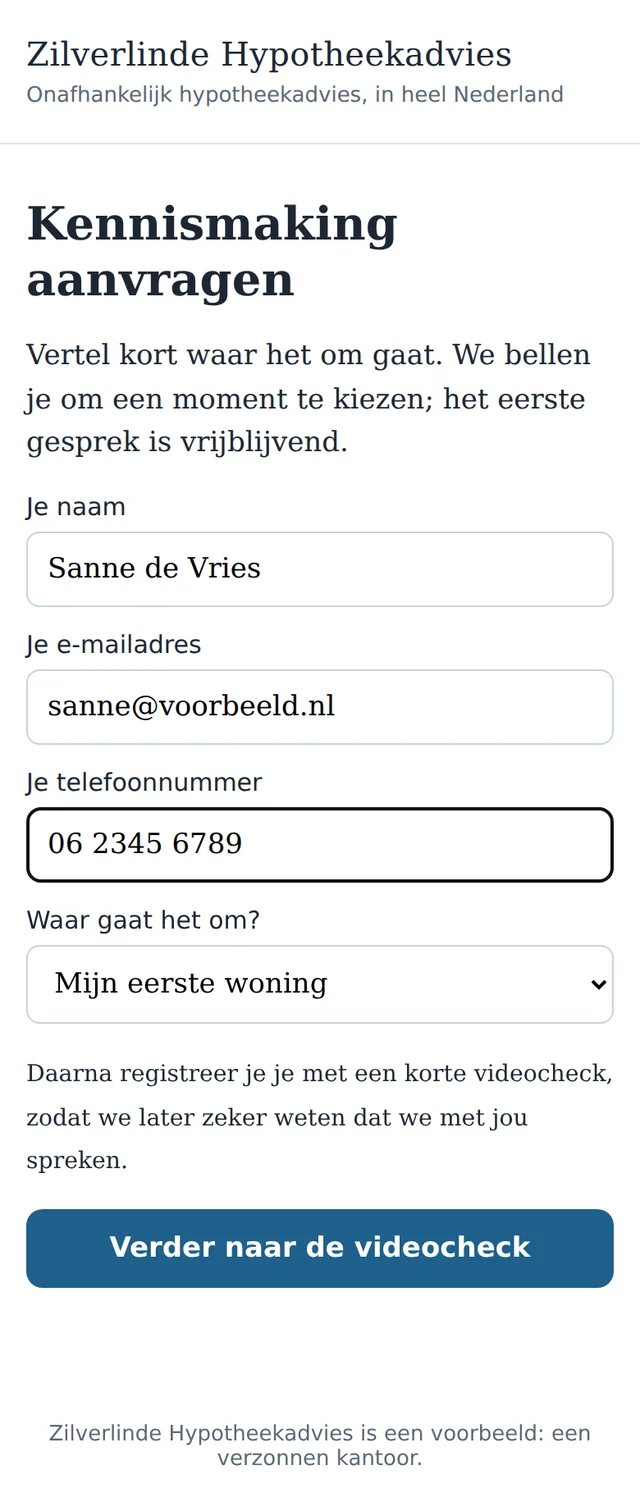
Name, email address, phone number. Under the button it says what comes next: a short video check, so that Jeroen can be sure later that he is speaking to her.
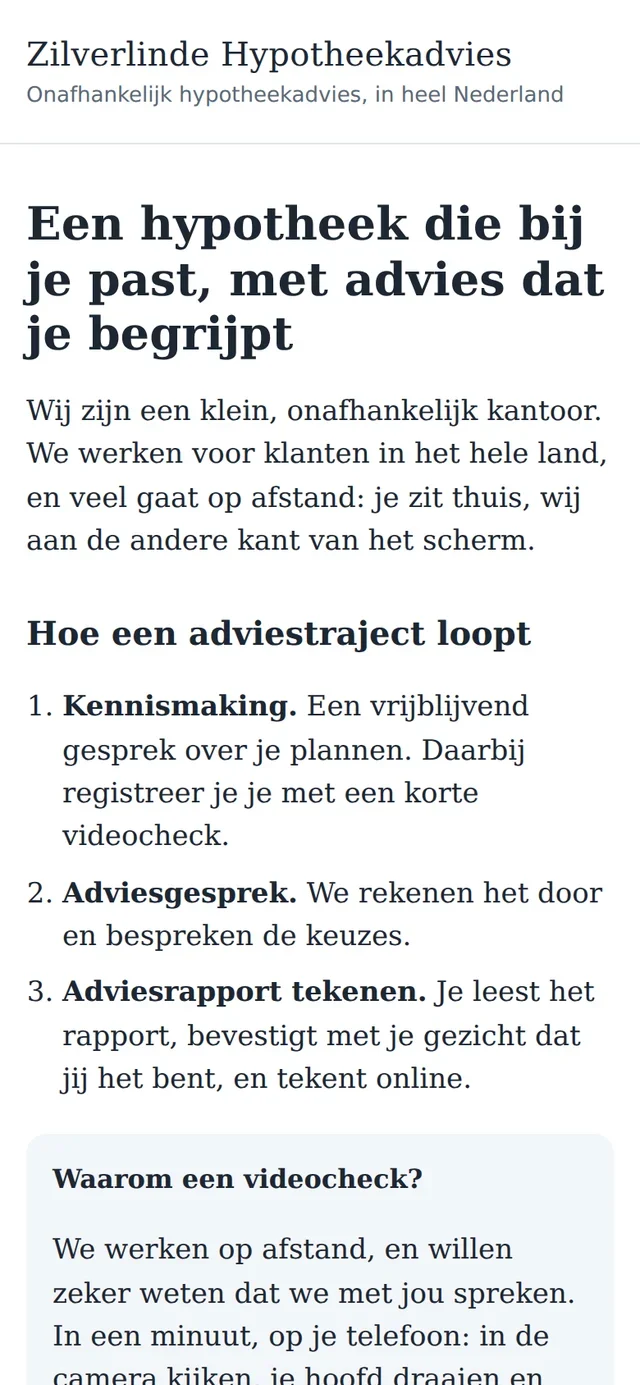
The welcome page explains why. Consent first, in plain language
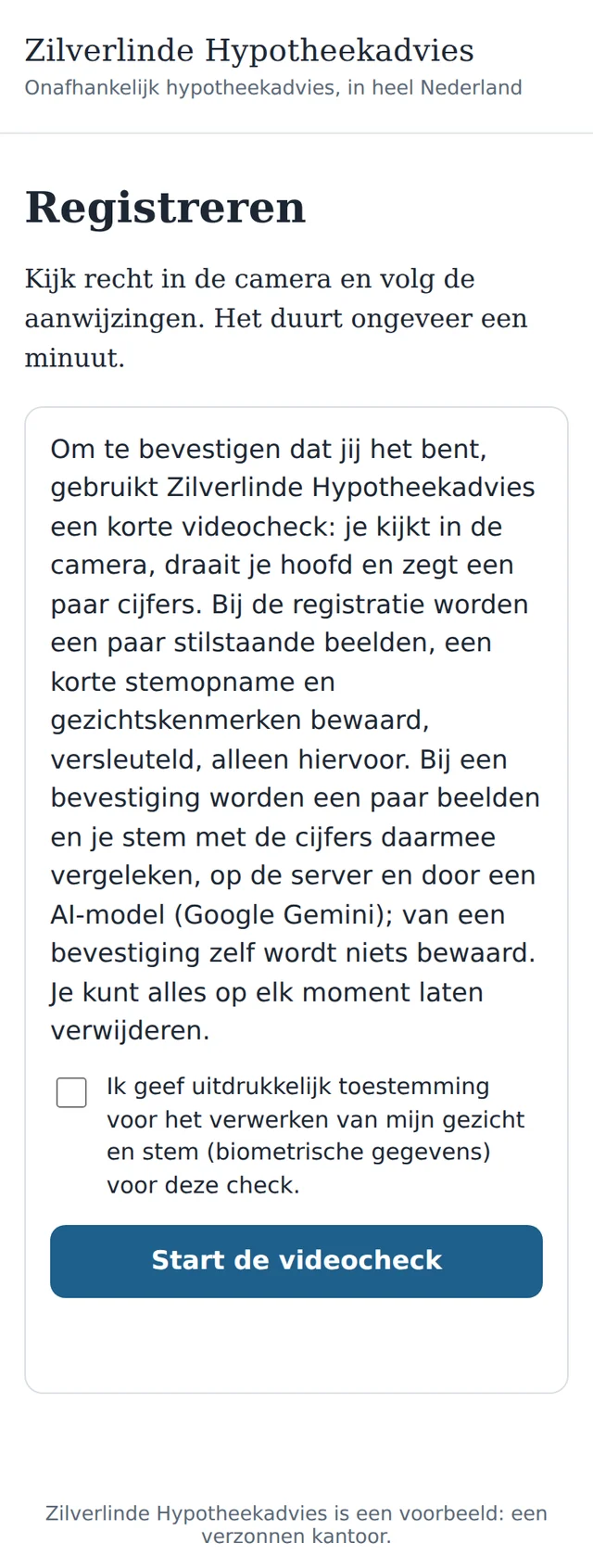
What happens to her image and voice is in a few sentences: what is kept at registration (encrypted, for this alone), that nothing is kept from a confirmation, and that she can have everything deleted. Without a tick nothing starts.
The frame: orange, then green
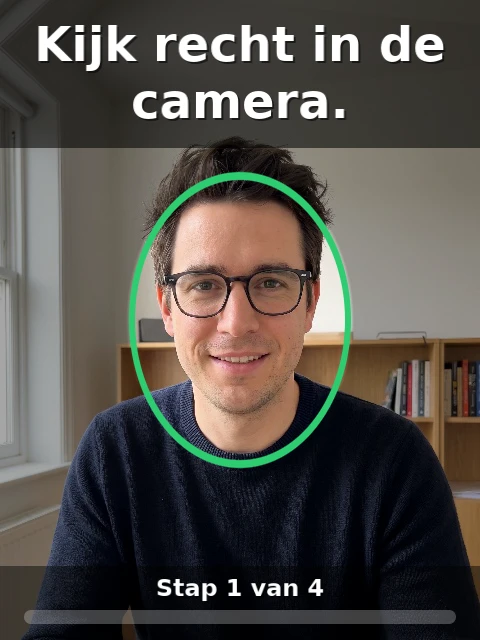
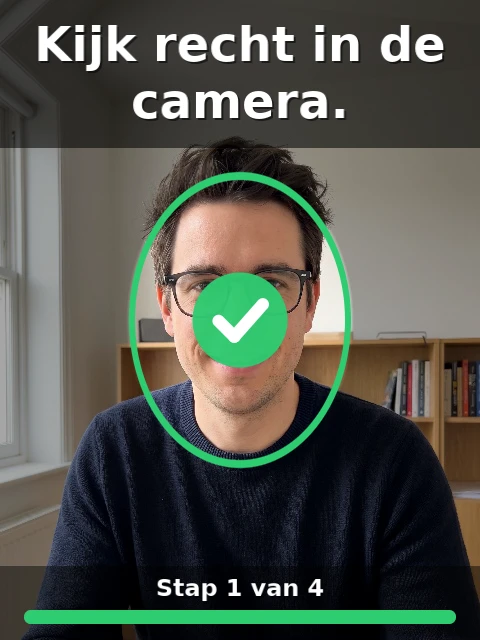
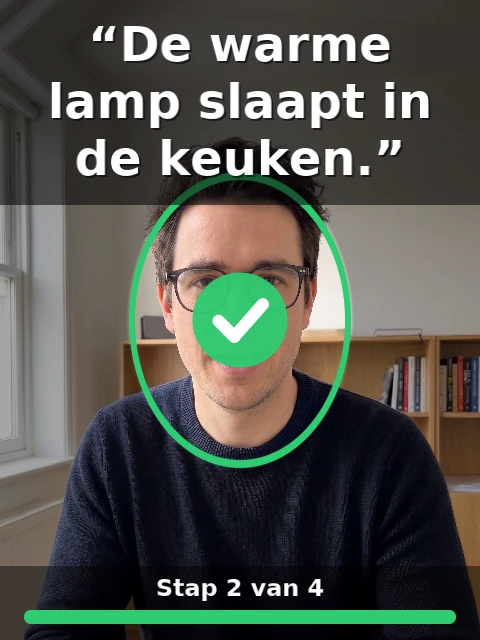
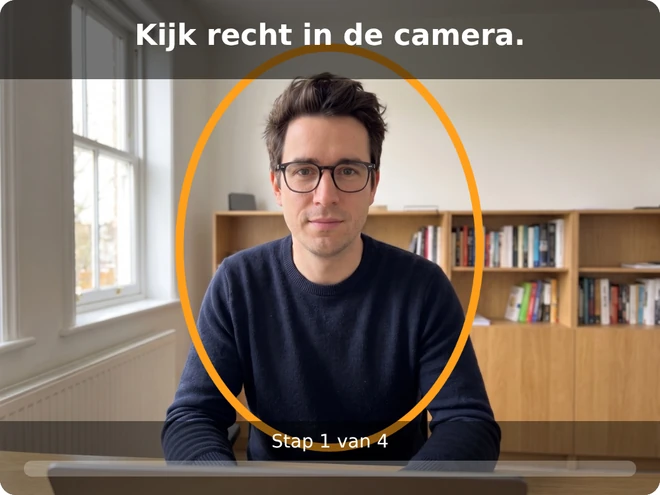
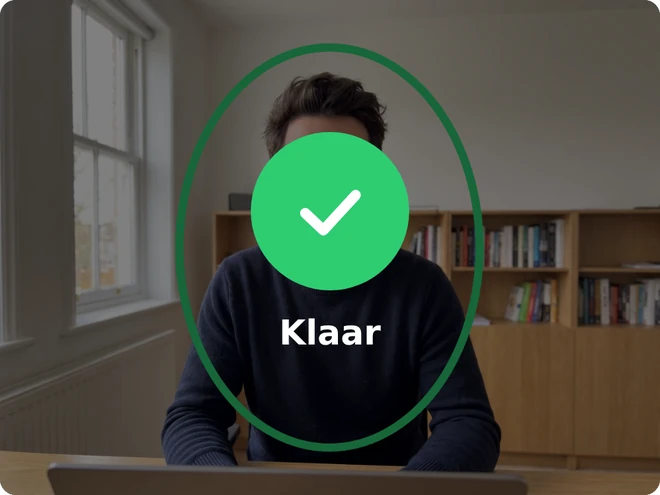
She sees herself, with an oval. While her face is beside it, the oval is orange; once she sits inside it, it turns green and the bar at the bottom fills. A ping, and a tick: step 1 of 5 is in.
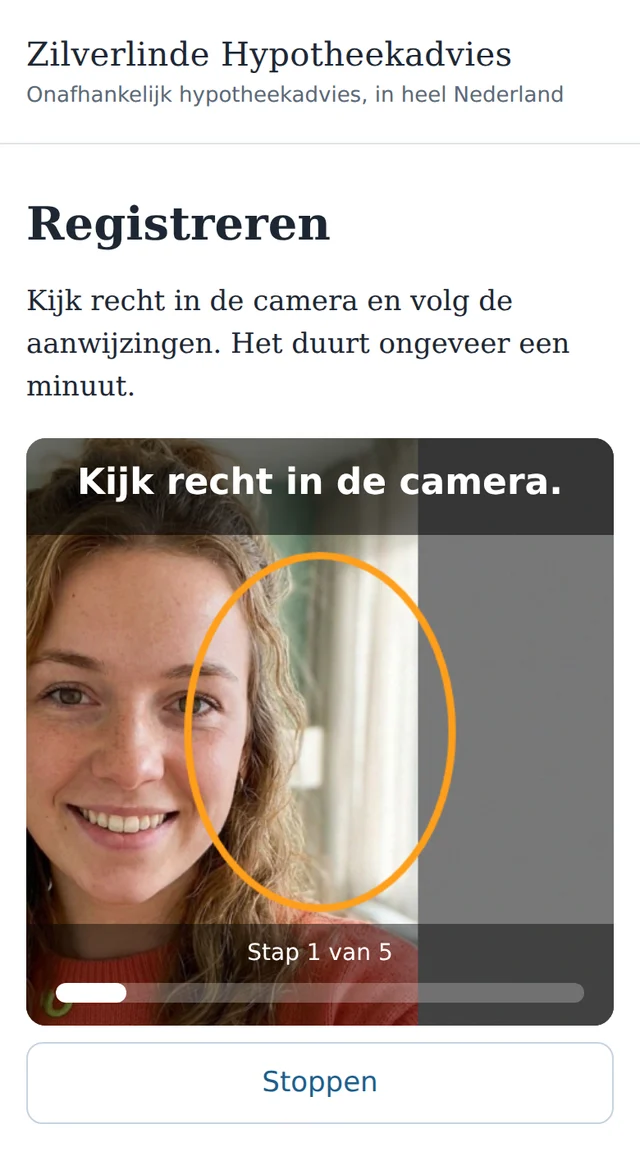
Beside it: orange 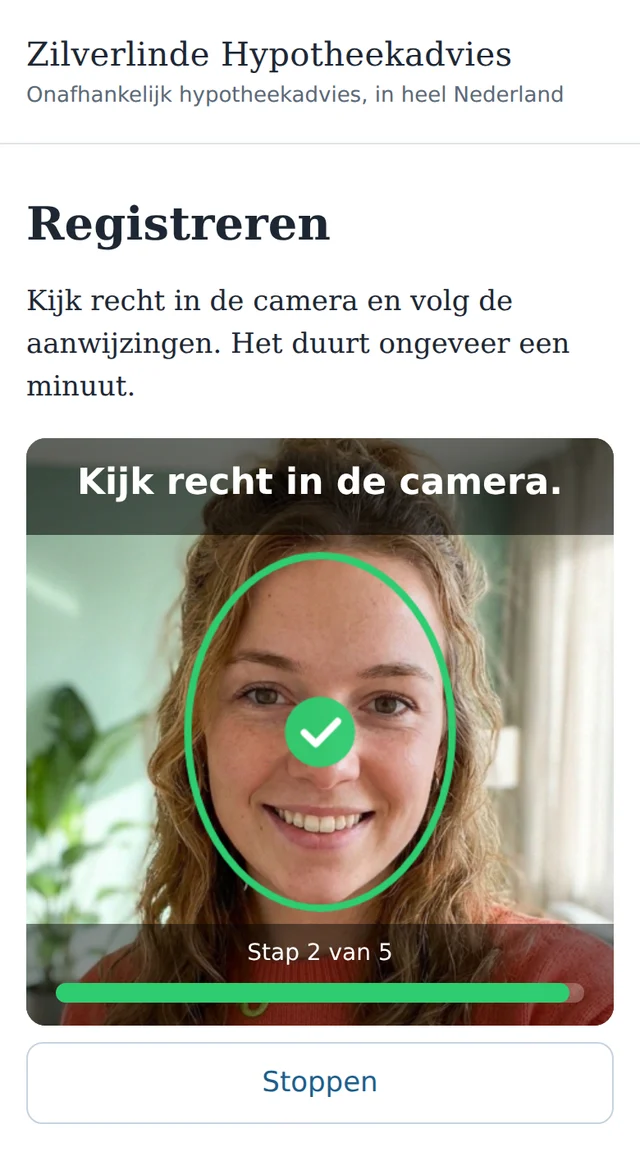
Inside: green, ping, tick An arrow points the way
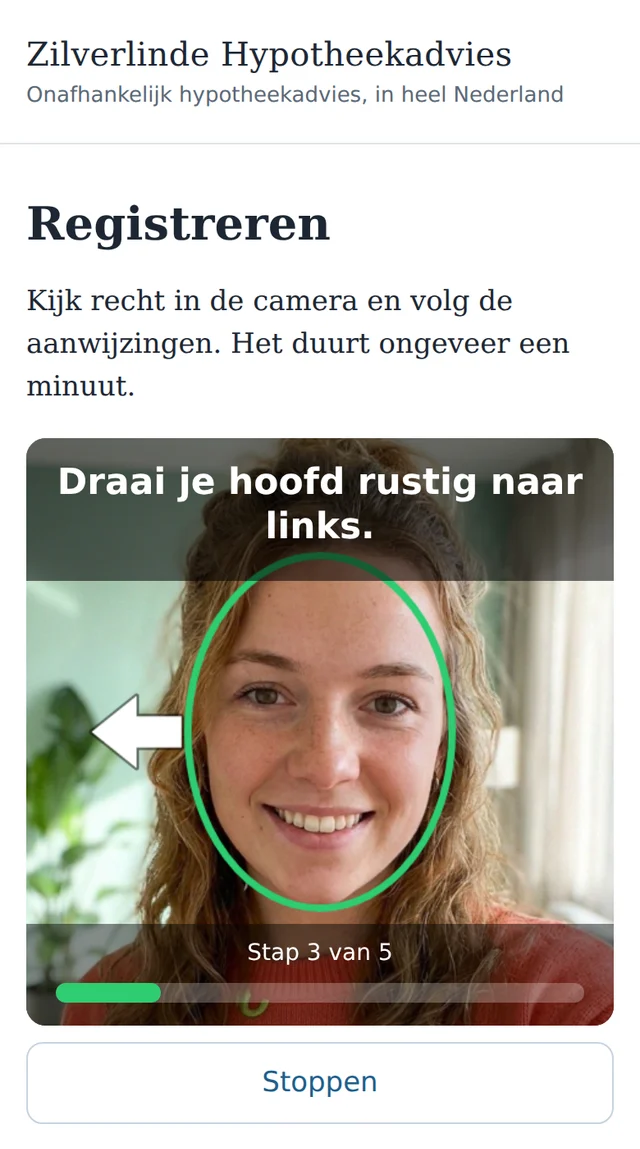
“Turn your head slowly to the left.” She hears it, and sees an arrow beside the oval, on the side she has to turn to. If she does not turn far enough, she hears and sees: “a little further to the left”.
Reading a sentence aloud
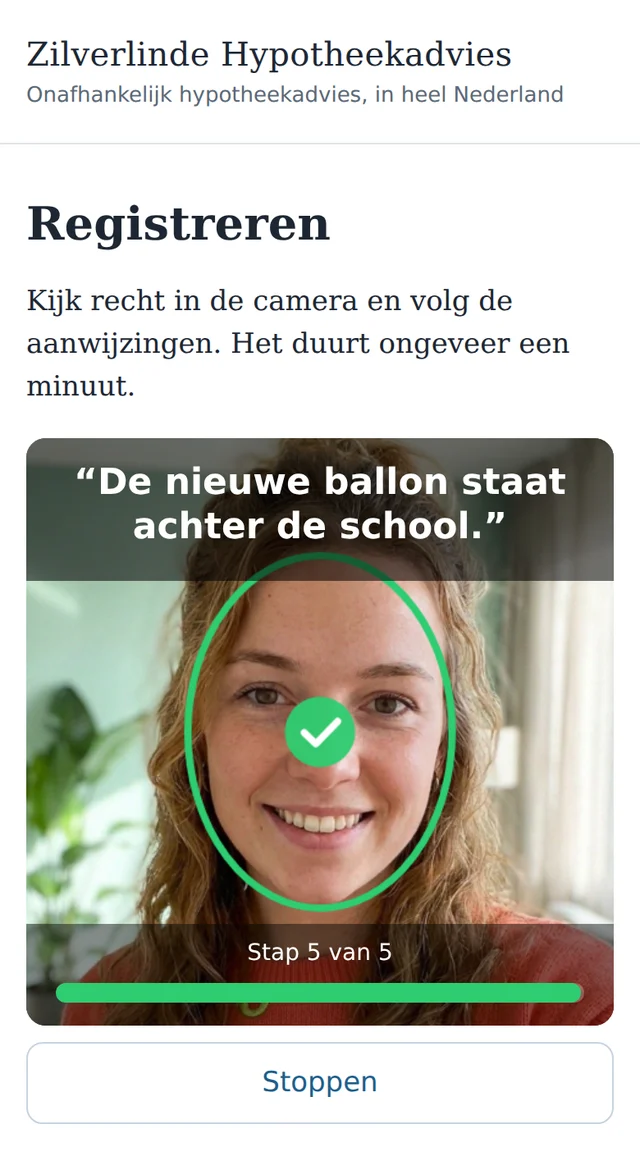
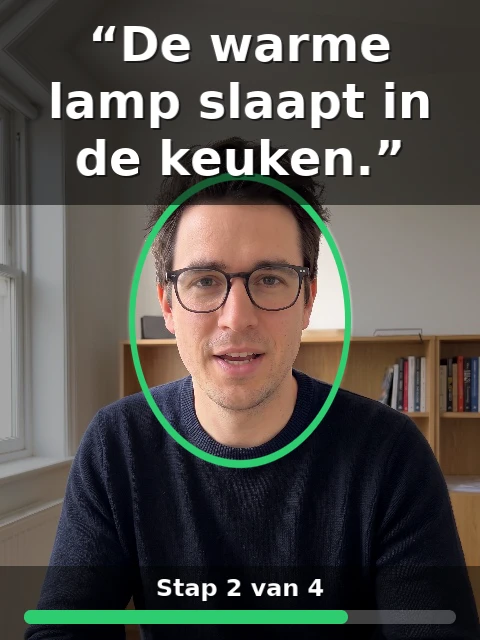
An ordinary sentence of seven words, a different one every time: “The new balloon is behind the school.” A recording made in advance does not fit.
Registered
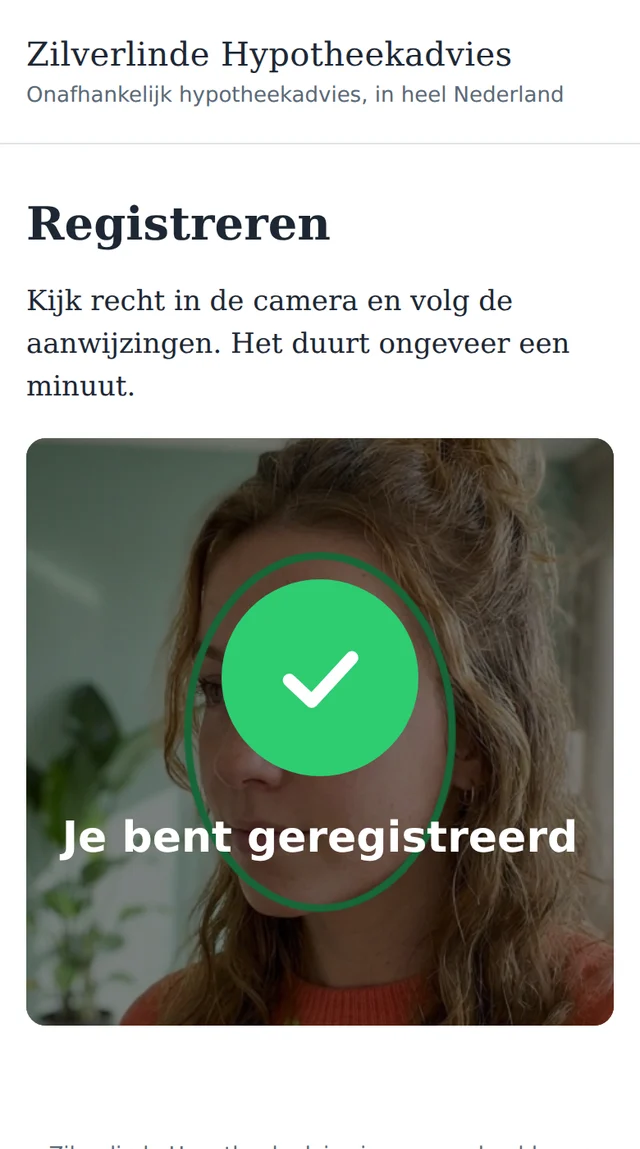
After about a minute: “Done”, and then “You are registered”. Jeroen's app page says it too; it checks with the studio itself.
Later: signing, and confirming in a minute
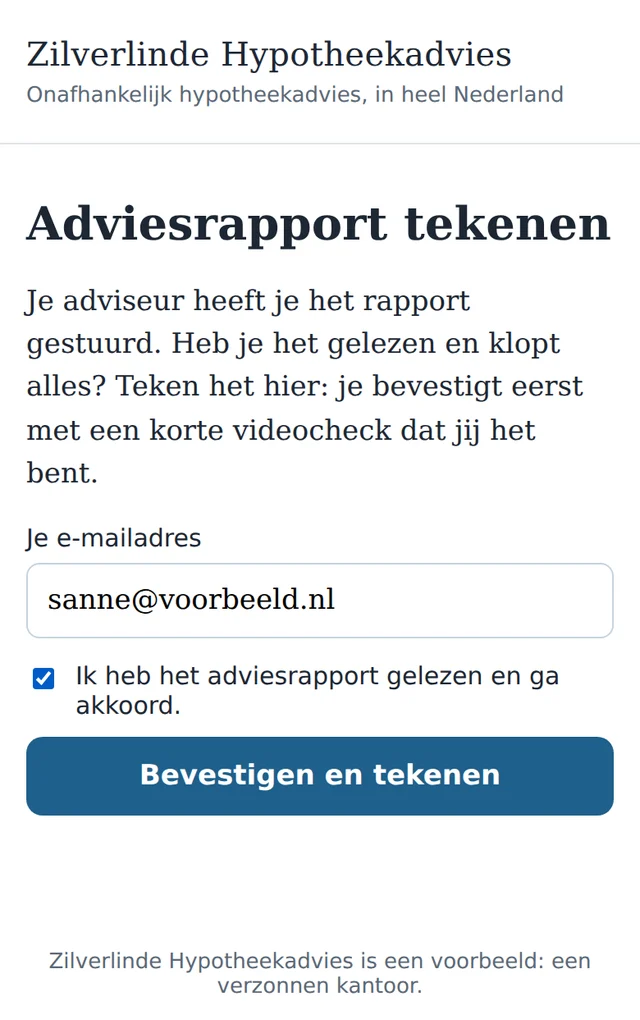
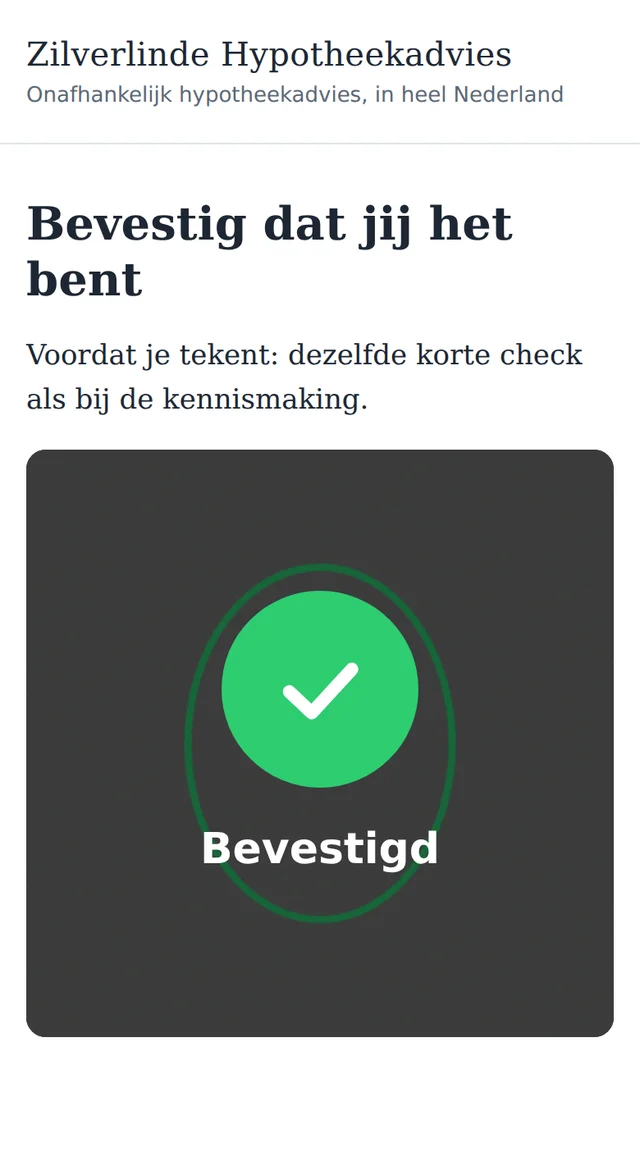
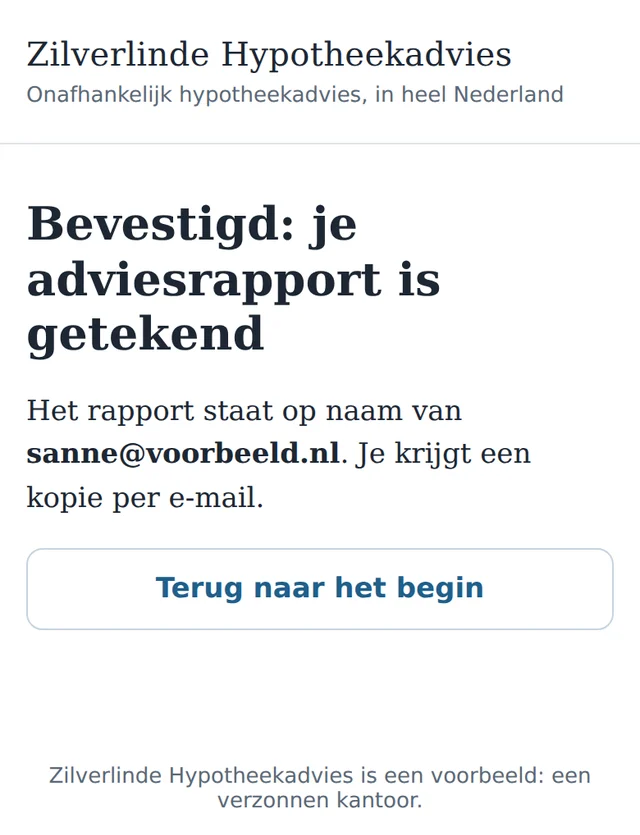
The report is ready. Sanne opens the page Sign advice report, fills in her email address and ticks that she agrees. Then the same short check, in a different order and with a different sentence. “Confirmed”, and the report goes on her name.
Why this is nicer than mailing a copy of your passport
- It takes a minute, on your own phone, at the moment it is needed.
- Your passport stays in your drawer; your face is enough.
- It confirms who is behind the screen right now, at the moment of signing.
- You know where you are at every moment: a frame, an arrow, a ping, a tick, and help when it does not work.
Or in a video call
The video check is one feature with two channels and one engine. In the browser the client's camera watches along, as with Sanne. In a video call over WhatsApp the studio calls, and sends the frame, the instruction, the arrow and the tick back into the call: you see yourself, and hear a ping and a short spoken instruction at each step.
A registration belongs to the person, whichever channel made it: whoever registered in a call can confirm in the browser, and the other way round.
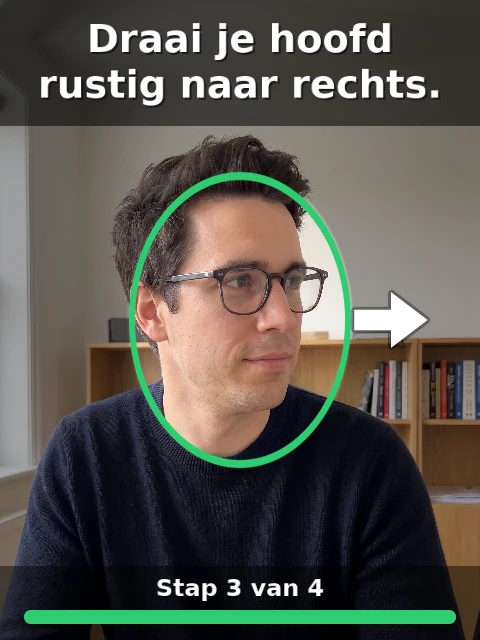
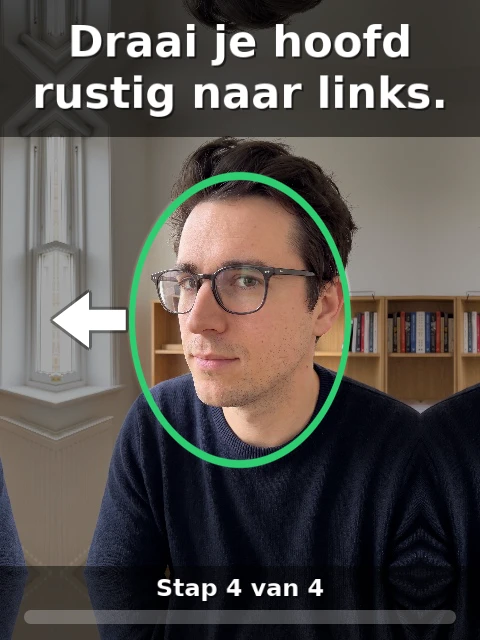
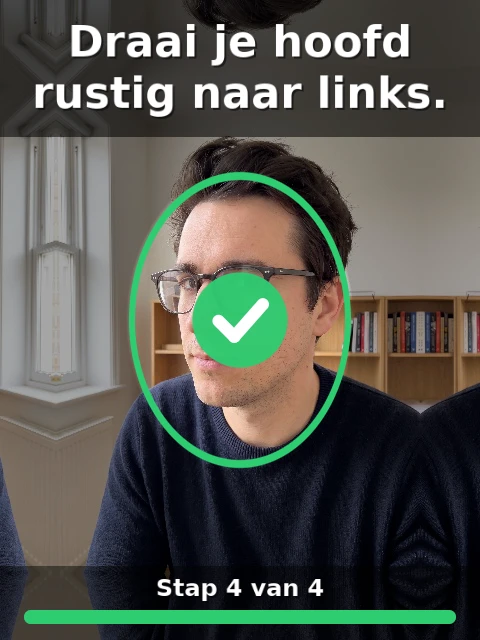
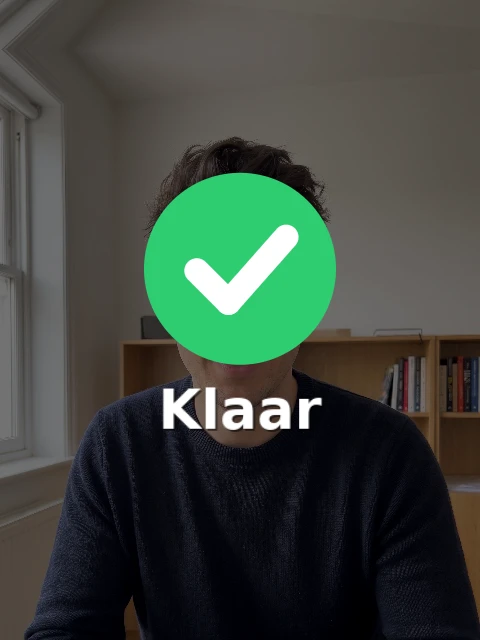
- 0.85match of the face with the registration, at sign-in
- 6 of 7words of the sentence understood, and that is enough
- ~10frames a second sent back into the call
“The instructions and beeps and visuals were top.” Floris, after the first screen test
And in the studio's own browser
The same check in the browser, with the webcam. The same frame, the same steps, the same tick.
The story behind the tick
The first time, Floris was rejected: “no head turn to the left seen”. He thought he turned too slowly. The real cause was simpler: his camera image was not arriving at all, and the message guessed. Since then the studio first counts what comes in, and says so honestly when there is no image: “I can't see you, is your camera on?” After that came the watching along, the ping and the frame in the call.
What Jeroen sees
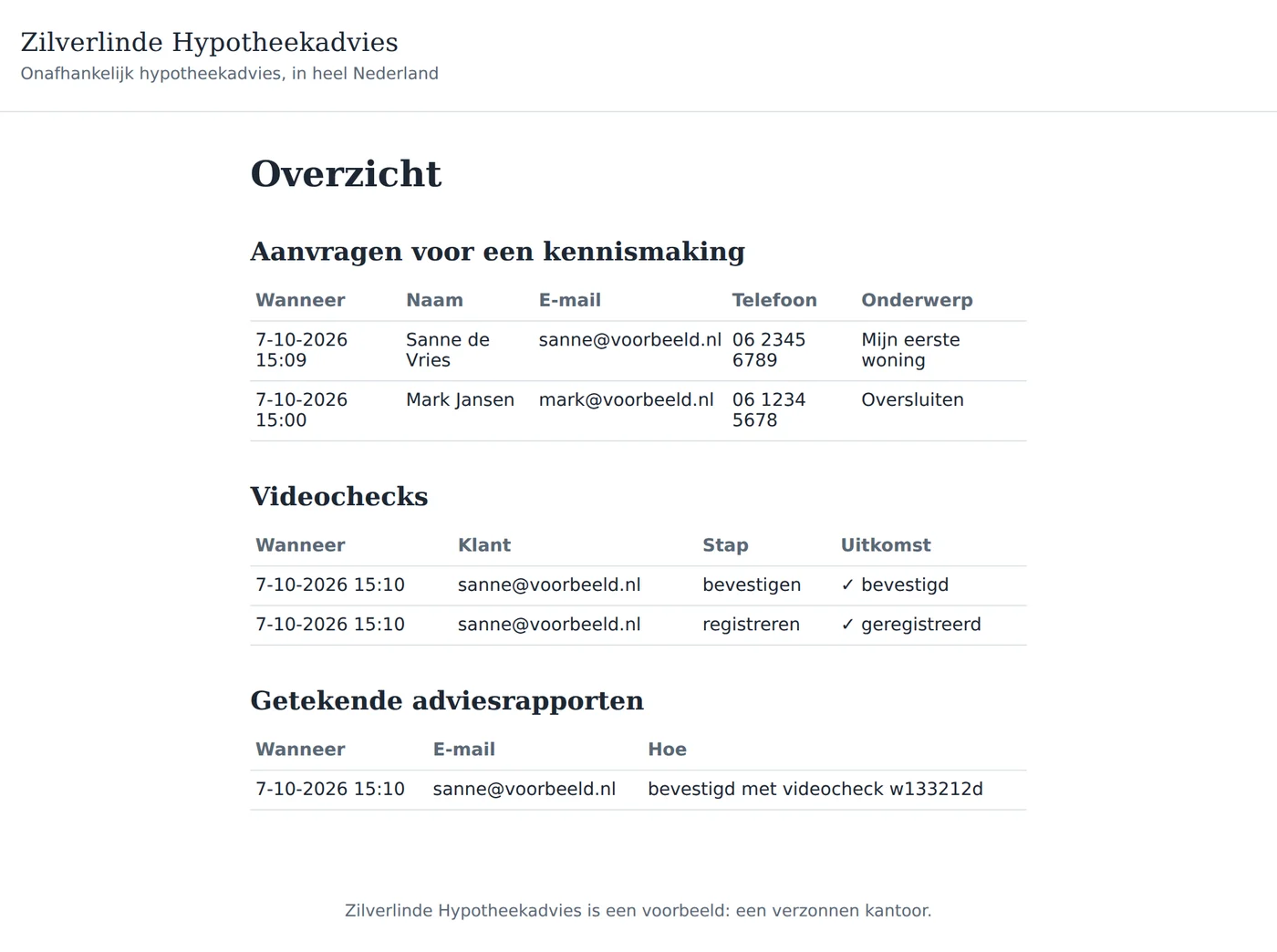
His overview shows, per client, when she registered and when she confirmed, with the result. If the check is unsure, it says “doubt: call the client”, and Jeroen decides. Every signed report says that it was confirmed with the video check.
Extremely fast, and affordable
Jeroen described in plain sentences what he wanted, and Claude built it in his studio: the app, the pages, the video check around it. Nineteen calls from Claude to the studio — writing, building, reading the messages, publishing — and the app was running on its own address.
- 1 I/O creditper identification, with 2,000 included in the EUR 20 a month
- EUR 20a month for the studio, publishing the app included
- 0development costs: Jeroen built the app himself, with Claude
- 1supplier for building, hosting and verification
- Built with plain sentencesWhat Jeroen wants, he asks Claude. The studio turns it into a working app, with messages an AI can act on straight away.
- Everything in one placeWriting, building, testing, publishing, reading logs and the video check: one place, one login.
- Verification on your own server, in the EUFace, movement and voice are checked on the studio's server, in Germany; Sanne's data stays with Jeroen. A second opinion from an AI is a setting. With a self-hosted studio the whole check runs in your own environment, with no outside service.
- 1 I/O credit per identificationEvery video check is 1 I/O credit, and 2,000 I/O credits a month are in the EUR 20. Publishing the app is part of it, with no further contracts and no development costs. You build the app yourself, with Claude, in your own studio.
- Fewer parties, fewer subscriptionsBuilding, hosting and verification come from one supplier. One invoice, one place where the data lives.
- Quick from idea to productionA new wish is a new question to Claude; publishing again happens while the app keeps running.
- Every function works this wayThe video check is a building block, like mail, decisions and agents. Every function of Wantzel AI Studio joins an app with a few lines, and every function is also a tool for Claude.
Side by side: three years of Zilverlinde
An adviser with forty new clients a month. Every client does two video checks: at registration and when agreeing to the advice report. That is 960 identifications a year. On the left as Jeroen did it; on the right as it usually goes: a building partner that makes the app, your own hosting, and a separate verification service from the market.
| Wantzel AI Studio | Building partner and market solutions | |
|---|---|---|
| From wish to client | DaysOne question to Claude, publishing is a click | 3 to 4 monthsQuote, design, build, connect a service, test, go live |
| Building the app | EUR 0Jeroen builds with Claude | EUR 20,000One-off: 200 hours at EUR 100 |
| Hosting and operations | EUR 240 a yearEUR 20 a month studio, publishing the app is part of it | EUR 600 a yearOwn server, backups, updates |
| Identification | EUR 0 a year80 checks a month are 80 of the 2,000 I/O credits included | ≈ EUR 1,920 a yearMarket average ≈ EUR 2 a check |
| AI | ≈ EUR 240 a yearYour own AI account | – |
| Maintenance | EUR 0A change is a new question | EUR 3,000 a year15% of the build, from year 2 |
| Parties | 1Plus your own AI account | 3Building partner, hosting, verification service |
| Year 1 | EUR 480 | ≈ EUR 22,520 |
| Years 2 and 3 | EUR 480 a year | ≈ EUR 5,520 a year |
| Three years | EUR 1,440 | ≈ EUR 33,560 |
Excluding VAT, indicative, prices of 7 October 2026. How we calculated, and the same sum for 10, 100 and 250 clients a month →
Where else you can use it
The video check knows in a minute that a real person is in front of the camera, and whether it is the same person as before. That is useful in many more places than a mortgage file. A few ideas, each with the same few lines in an app:
- Agents that know who they are talking toIn a business where autonomous agents do the work, this is a building block to function: before an agent carries out an instruction, shares data or makes a decision, it checks which person it is dealing with.
- Anti-botA sign-up, a comment or an order comes from a real person: a short check instead of puzzles with traffic lights.
- Appointments that go aheadA hairdresser, physiotherapist or mechanic with many no-shows: whoever books confirms with the camera. Throwaway bookings stay away, and whoever books, comes.
- One welcome offer per personA welcome discount goes to a real person, once.
- Rentals and key handoverA car, a van, tools or a holiday home: whoever collects it or gets the code is the person who booked.
- Confirming big changesA different bank account, a large amount, a new delivery address: the client confirms with her face that it is really her.
- Account recoveryPassword and phone lost: the client gets back in with the video check, without a helpdesk.
- One person, one voteAn online members' meeting or poll of an association: every member votes once.
- Opening a sensitive fileA care file, a salary overview, a contract: first confirm that the right person is looking.
From building to production, in one place
Everything happened in Jeroen's own studio: writing, building, reading the messages, publishing, looking at the logs, publishing again, and the video check on top. One place, from the first idea to the app his clients use.
- BuildIts own programming language and compiler: strict, fast, with messages an AI can act on directly. The standard library is part of the compiler itself.
- PublishIts own address per app, which keeps running when the studio is closed. Publish again while it runs.
- Building blocksThe video check, mail, decisions: the app takes them in with a few lines, and keeps its own data apart.
- Tests and rolloutEvery change to the studio itself goes through tests and a smoke test on the real paths before it goes live.
- From ClaudeEverything the studio can do is a tool that Claude can call too.
- On your phoneWhat the studio makes works on a phone: the app, the check, the frame.
The theory behind it, from the book
In From Zero to AI Agents That Do The Work Floris Knol shows how you make agents and put them to work. Two chapters come to life in this use case:
- Limits, and who signs. An agent does the work, a person decides where it counts. When in doubt, the question goes to Jeroen.
- The flywheel. What has been built once becomes a building block. The video check the studio made for its own sign-in now works for every app.
Read next
Your own work, run by AI colleagues
EUR 20 a month, cancel any time
Sign up with your email address. After the checkout your studio is set up, and you start right away.