Build your own file sharing service in Wantzel
Build your own file sharing service, like WeTransfer, Dropbox and Google Drive: upload, a secret link, download, gone after the days you choose.
The series starts from zero and ends live on your own server, with the frontend step by step, hosting and devops with AI.
The lessons
Lesson 551 · What we build | Build your own file sharing
5:27
You build DocTunnel, a file-sharing service that runs on your own server. Learn how to create upload pages, generate secret links, and build download interfaces—all in one Wantzel program. By the end, you understand the full technology stack from web frontend to production deployment.
Lesson 552 · Wantzel in ten minutes | Build your own file sharing
5:34
Install the Wantzel compiler and write your first program from an empty folder. You learn variables, conditionals and loops through a single source file that compiles directly to an executable—no project files, no package manager. The compiler's strict rules catch bugs at compile time, not during production.
Lesson 553 · A server that answers | Build your own file sharing
5:21
You build a web server in Wantzel that listens on a port and responds to requests. Learn how to route requests by path and method, creating the three core paths your transfer service needs. Your server compiles instantly and becomes the foundation for the upload and sharing features you add next.
Lesson 554 · The upload page | Build your own file sharing
6:01
You build an HTML upload form served by your Wantzel program. The form lets users pick multiple files and post them to your server without any JavaScript. Learn how HTML structure and basic attributes make file uploads work, and why starting with this plain page is the right foundation.
Lesson 555 · Styling the page | Build your own file sharing
6:06
You style your file upload form with CSS, adding a card layout with a dashed drop zone and button. Learn why inline styles help keep your program portable, and how to make your form work for keyboard and mouse users.
Lesson 556 · What a browser sends | Build your own file sharing
5:34
You inspect the multipart request a browser sends when someone uploads a file. Follow its boundary markers and headers, separate the file bytes from the form fields, and see what the server receives. This is the foundation for reading uploads safely instead of treating the request body as one mystery block.
Lesson 557 · One file to disk | Build your own file sharing
5:57
You take one file part from a multipart request and write its contents to disk. The lesson follows the boundary, finds the file data, and saves it under a controlled name. By the end, the upload is no longer just bytes in a request: it is a file the service can keep and serve.
Lesson 558 · Streaming, not loading | Build your own file sharing
5:29
You change the upload handler so it writes data as it arrives instead of holding the entire request in memory. That keeps memory use bounded when files grow. Compare the simple whole-body approach with streaming, then run the service to see a large upload reach disk without first loading it all.
Lesson 559 · Many files at once | Build your own file sharing
7:13
You extend the streaming upload handler to accept several files in one request. The program walks each multipart section, separates its headers and bytes, and writes every file to its own place. Test a group of uploads together and see why a loop over parts is more useful than a one-file special case.
Lesson 560 · Safe file names | Build your own file sharing
5:24
You stop trusting filenames supplied by a browser. Treat each name as untrusted text, reduce it to a safe filename, and keep it from becoming a path that can write outside the upload folder. Then compile and run the handler to check that ordinary names still work while dangerous path fragments are rejected.
Lesson 561 · A size limit | Build your own file sharing
5:34
You add a maximum upload size to the streaming server. Count bytes as they arrive and stop the request when it exceeds the limit, so one upload cannot consume the whole disk. The lesson checks the boundary and then shows the service handling a ten-gigabyte file with a visible progress bar.
Lesson 562 · Random codes | Build your own file sharing
5:31
You create a random code for every upload and use it as the key in the share link. A receiver can open that link without an account, while guessing another upload's code should be impractical. Follow the code from creation into the URL, then use it to find the right files on the server.
Lesson 563 · Where uploads live | Build your own file sharing
5:43
You give each upload a permanent place on disk: one service folder, then a separate folder named with its random code. The lesson traces a file from the upload form to that location and checks that the share link still points to the right upload. This makes storage paths predictable without exposing them to visitors.
Lesson 564 · Remembering an upload | Build your own file sharing
5:23
You make the service remember an upload after the request has finished. Store the details the server needs beside the uploaded files, then use the share code to retrieve them when someone returns. The ready page still gives the sender separate share and admin links, while the server can now reconstruct what each link means.
Lesson 565 · The download page | Build your own file sharing
6:13
You build the page a receiver sees after opening a share link. The server looks up the upload by its code and lists the files that belong to it. Keep this public page separate from the sender's private admin link, so the receiver gets a clear route to the files without seeing management controls.
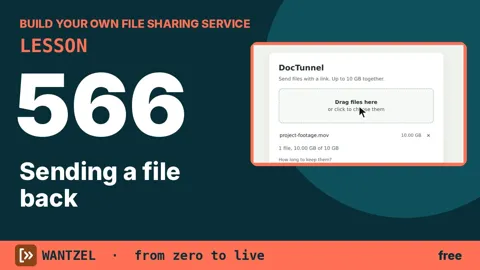
Lesson 566 · Sending a file back | Build your own file sharing
5:06
You turn the download page's file list into working downloads. When a receiver clicks a file, the server finds the stored upload and sends that file back with a download response. Follow the share link from another browser tab, click the file, and see the service complete the path from sender to receiver.
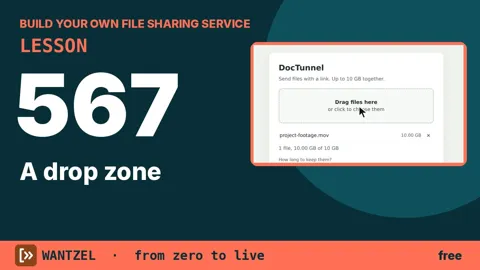
Lesson 567 · A drop zone | Build your own file sharing
5:09
You replace the plain upload form with a drop zone. Dragging files onto the page adds them to a visible list, while the normal file picker remains available. Then press Send and confirm the files reach the existing upload handler. The lesson connects a friendlier browser interaction to the service built in earlier lessons.
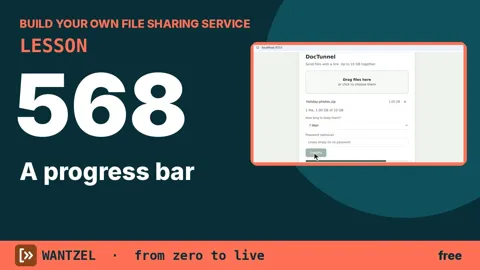
Lesson 568 · A progress bar | Build your own file sharing
6:24
You add a progress bar so a sender can see a large upload moving instead of waiting on a frozen page. The browser reports how many bytes have arrived, and the page updates the bar while the request runs. Watch a one-gigabyte file move from the drop zone through the upload and into the ready screen.
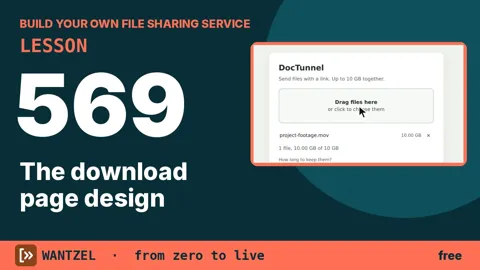
Lesson 569 · The download page design | Build your own file sharing
5:40
You redesign the download page for someone who may be seeing the service for the first time. Make the file name, size, and download action easy to understand, and explain what happens when the link expires. The result is a receiver page that feels deliberate while keeping private upload controls out of view.
Lesson 570 · The admin page design | Build your own file sharing
5:44
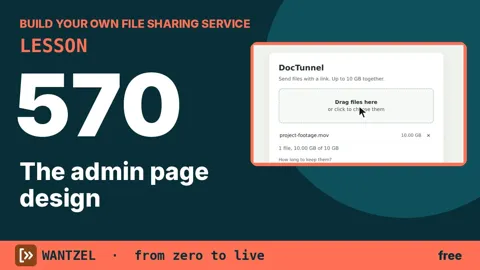
You design the private page used by the person who sent an upload. Put the useful controls together: see how many times files were downloaded, check when the link expires, and delete the upload when it is no longer needed. Keep the page focused on those decisions and separate it from the public download page.
Lesson 571 · Mobile and accessible | Build your own file sharing
5:33
You adapt the file-sharing pages for phones, keyboard-only use, and screen readers. Check that controls are reachable without a mouse, labels explain what each field does, and the layout remains usable on a narrow screen. The lesson applies accessibility to the sender, receiver, and admin experiences built throughout the project.
Lesson 572 · Copy and share the link | Build your own file sharing
6:40
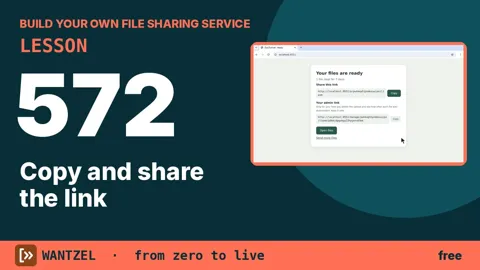
You finish the sender's handoff: copy the share link with one button and show a clear confirmation when it worked. Add a short message that can be pasted into mail or chat, while keeping the private admin link separate. Then open the receiver's page and follow the copied link through to the download.
Lesson 573 · How long to keep | Build your own file sharing
5:13
You let the sender choose how long an upload should remain available: one, three, seven, fourteen, or thirty days. Carry that choice from the form to the server, validate it there, and store it with the upload. This gives every shared link a clear lifetime and prevents forgotten files from staying forever.
Lesson 574 · Dates and times | Build your own file sharing
5:39
You turn a chosen number of days into an exact expiry moment. Use a consistent count of seconds, add the selected duration, and compare the result with the current time. The lesson connects the retention choice to a timestamp stored with each upload, giving the next cleanup step a precise answer about what has expired.
Lesson 575 · The sweeper | Build your own file sharing
5:47
You build a sweeper that finds uploads whose expiry time has passed and removes their files. Compare each stored timestamp with the current time, then check that a fresh link still works while an expired one no longer exposes its contents. The service can now clean up old uploads without someone deleting them by hand.
Lesson 576 · Working in the background | Build your own file sharing
5:16
You move cleanup into a background process so the server can keep answering visitors while the sweeper runs. Start the worker separately, let it find expired uploads, and check the live service during that work. The lesson shows how a long-running maintenance task can share one program without blocking ordinary file transfers.
Lesson 577 · An optional password | Build your own file sharing
6:01
You add an optional password field to the upload form while keeping uploads open by default. The password travels with the request but is never stored as readable text or placed in the share link. You also add a password form to the download page and see why the next lesson must build a safe way to check it.
Lesson 578 · Hashing passwords | Build your own file sharing
5:20
You store a password verifier instead of the password by combining a random salt with PBKDF2 using HMAC-SHA-256. Rehash a visitor's guess and compare the result at download time. The file keeps only the salt and derived hash, making reused passwords harder to recover from a copied data folder.
Lesson 579 · Remembering a visitor | Build your own file sharing
5:13
You let a receiver enter the upload password once, then remember successful access with a browser cookie. The cookie contains a token derived from the upload code, stored password hash, and a server-only secret. The server can validate later requests without storing a session or sending the password back.
Lesson 580 · Too many guesses | Build your own file sharing
5:41
You limit wrong password guesses per visitor and hour, using a fixed counter table. Check the limit before computing the slow password hash, and refuse guesses after the threshold. A blocked visitor does not lock the file for everyone else, and the counter expires naturally when the hour changes.
Lesson 581 · A download limit | Build your own file sharing
5:28
You cap how many times each uploaded file can be downloaded. Store the number of completed downloads per upload, increment it when a receiver clicks a file, and remove the upload after its final allowed download. This adds a count-based expiry alongside the existing time limit.
Lesson 582 · Fair use behind a proxy | Build your own file sharing
5:21
You apply a request limit per visitor and return HTTP 429 with a Retry-After value when someone sends too many requests. When traffic passes through a trusted reverse proxy, use X-Forwarded-For only if the connection came from that proxy, and read the address it appended to stop visitors spoofing another IP.
Lesson 583 · A second, private link | Build your own file sharing
5:02
You add a second, private link to each upload so the sender can manage it after sharing the public download link. Build the admin page around a separate random code, store both codes with the upload, and compare them safely. The lesson shows how one upload can have a public face and a private control page.
Lesson 584 · Counting downloads | Build your own file sharing
5:34
You add a download counter to the sender’s admin page and persist it so a server restart does not erase the count. Update the number safely by writing a temporary file and renaming it into place, then connect the counter to the download limit. The lesson walks through the code and the failure cases.
Lesson 585 · Delete now | Build your own file sharing
5:24
You add a “Delete now” action to the private admin page so a sender can remove an upload before its normal expiry. Restrict the action to the admin link, delete the stored files and upload record, and check that the public share link stops working. The lesson follows the request from click to disk.
Lesson 586 · Virus scanning | Build your own file sharing
6:11
You put uploaded files through a virus scan before allowing anyone to download them. Track each upload’s scan state, call an external scanner as a child process, and expose the share link only after a clean result. The lesson also considers multiple files, interrupted scans, and what happens if the server stops.
Lesson 587 · After a restart | Build your own file sharing
You make uploads survive a server restart by restoring their saved state when the service starts again. Rebuild the in-memory records from disk, distinguish complete uploads from work still in progress, and keep existing share and admin links usable. The lesson follows the recovery path from shutdown through startup.
Lesson 588 · Options and clear errors | Build your own file sharing
5:01
You move service limits out of the source code and into command-line options, so the same program can run with different settings. Add clear errors for missing, invalid, or conflicting values, then check that defaults still work. The lesson covers the data folder, file size, download count, expiry, and scan behavior.
Lesson 589 · Testing the service | Build your own file sharing
5:13
You test the file sharing service through the same paths a visitor and sender use. Check uploads, downloads, passwords, limits, admin actions, virus scanning, and recovery after a restart, then verify the expected status and response for each case. The goal is a repeatable check that catches regressions before deployment.
Lesson 590 · Where to host | Build your own file sharing
6:11
You compare hosting options for a file sharing service that currently runs only on your laptop. Estimate the monthly cost, consider where the files and server need to live, and choose a small virtual private server for a service that should stay available when your own computer is off.
Lesson 591 · A VPS at TransIP | Build your own file sharing
5:54
You order a small Linux VPS and make the first secure connection to it. Follow the setup from choosing the server through receiving its address and logging in, then check what is—and is not—installed yet. This gives the file sharing service an internet-facing home that you control.
Lesson 592 · Securing the server | Build your own file sharing
6:18
You secure a newly rented VPS before putting the file sharing service online. Reduce exposed access, configure the firewall and account protections, and check the server from the outside so unwanted login attempts have fewer ways in. The lesson prepares a clean, locked-down machine for deployment.
Lesson 593 · Putting the program on it | Build your own file sharing
You deploy the file sharing program to your VPS using a single compiled executable and a folder for uploaded files. Copy the files, start the service, and check that it responds from the server. Because the compiler produces a standalone program, there is no language runtime or package stack to install first.
Lesson 594 · Your own domain and HTTPS | Build your own file sharing
You give the VPS a domain name and put HTTPS in front of the file sharing service. Point the domain to the server, obtain a certificate, and configure a reverse proxy to pass browser requests to the program. Then open a share link as a receiver and check the secure download page.
Lesson 595 · Running as a service | Build your own file sharing
You run the file sharing program under systemd instead of leaving it in a terminal. Configure it to start at boot, restart after a failure, and write logs you can inspect. The lesson checks that the service stays available after the terminal closes and comes back after a reboot.
Lesson 596 · An AI assistant as your sysadmin | Build your own file sharing
5:43
You let an AI assistant help with routine server administration while keeping its access bounded. Connect it through SSH, describe the allowed tasks in a rules file, and use it to inspect or maintain the running service. The lesson focuses on giving the assistant a controlled role on your VPS.
Lesson 597 · Logs and monitoring | Build your own file sharing
5:04
You add logs and monitoring so problems with the live file sharing service become visible before users report them. Decide what the service should record, where to find those records, and how to notice failures or resource issues. The lesson turns an unattended VPS into a service you can keep an eye on.
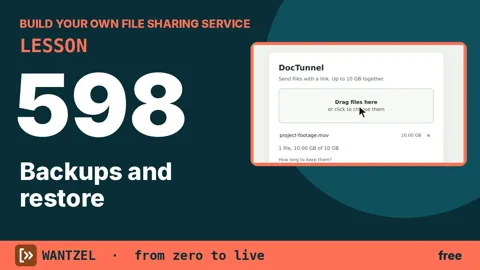
Lesson 598 · Backups and restore | Build your own file sharing
6:29
You make and restore backups of the file sharing service’s important data instead of relying only on the hosting provider. Identify what must be preserved, create a separate copy, and walk through restoring it so uploads and service state can survive disk failure or accidental deletion.
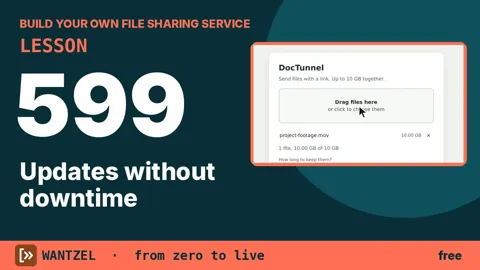
Lesson 599 · Updates without downtime | Build your own file sharing
You update the live service without leaving visitors with a long outage. Build and test the new version locally, transfer the finished program to the server, switch over with a short restart, and keep a rollback path if the update fails. The VPS receives a tested executable rather than compiling source code.
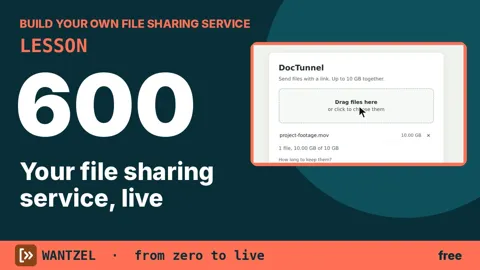
Lesson 600 · Your file sharing service, live | Build your own file sharing
Deploy your file-sharing service to a live VPS and test it with files up to 10 gigabytes. You'll see how the server streams large uploads to disk without storing them in memory, and how users download files through a simple share link. By the end, you understand every step your code takes from browser to storage and back.
- The whole playlist on YouTube50 videos.